
AI is changing UX research faster than most teams can realistically adapt to. Researchers are expected to process more qualitative data, synthesize insights faster, and support product decisions earlier in the workflow, often without additional research capacity.
The real challenge is no longer whether AI belongs in UX research. It is understanding where it genuinely improves workflows, where it still fails badly, and how to use it without weakening research quality in the process.
Let’s explore how to bridge the gap between automation and insight.
Page content
- Why AI is spreading across UX research workflows
- What AI is actually good at in UX research
- Where AI still fails in UX research
- How to use AI across the UX research workflow
- Best AI tools for UX research in 2026
- Real examples of AI in UX research
- Common mistakes when using AI in UX research
- Will AI replace UX researchers?
- How to build your own AI-assisted UX research workflow
- Frequently asked questions

Why AI is spreading across UX research workflows
UX research has become increasingly difficult to scale manually. Product teams move faster, research demand keeps growing, and even relatively small studies can generate hours of recordings, scattered notes, and large amounts of qualitative data that are difficult to process consistently.
Most research time is not spent running interviews.
It is spent:
- organizing observations,
- reviewing transcripts,
- synthesizing patterns,
- documenting findings, and
- translating research into product decisions.
For many junior UX designers, this is where the process becomes overwhelming.
AI tools became valuable because they reduce repetitive research workload. Researchers can now generate searchable transcripts within minutes, cluster repeated themes faster, and accelerate synthesis workflows that previously required hours of manual organization.
But automation is not the most important shift.
Good UX research still depends on interpretation, prioritization, contextual awareness, and critical judgment. These skills are deeply connected to the broader UX design process. AI can accelerate repetitive tasks surrounding research, but it still struggles with ambiguity, emotional nuance, and contradictory human behavior.
This is changing the role of researchers. Instead of spending most of their time manually processing research material, researchers increasingly focus on interpretation, synthesis quality, and decision-making clarity.
The researchers who benefit most from AI are usually the ones using it selectively instead of automating everything.
For junior designers especially, this is quickly becoming a practical professional skill rather than an experimental advantage, especially as AI-assisted research becomes part of modern UX skillsets.
UX research is only one part of a much larger shift happening across the industry. As AI becomes integrated into research, design, content creation, prototyping, and product strategy, understanding the broader role of AI in UX design is becoming increasingly important for modern designers.

What AI is actually good at in UX research
AI is most useful in UX research when it accelerates operational work around the research process itself. The strongest AI workflows usually focus on speed, organization, and synthesis support rather than replacing research thinking.
Speeding up repetitive research tasks
One of the biggest advantages of AI in UX research is reducing repetitive manual work. Tasks like transcription, tagging notes, summarizing interviews, and organizing observations used to consume hours of operational time after every research session.
AI tools can now handle much of this work automatically. Researchers can generate transcripts within minutes, extract key themes faster, and search across interviews without manually reviewing recordings repeatedly.
For junior UX designers especially, this can make research workflows far more manageable. Instead of spending days organizing raw material, you can focus more energy on understanding user behavior and translating findings into product decisions.
The biggest value here is not automation itself. It is reducing the amount of repetitive research work, so researchers can spend more time thinking critically about the insights they uncover.
Finding patterns in qualitative data
Qualitative research becomes difficult to scale when studies generate large amounts of messy, unstructured data. After multiple interviews, recurring themes often start blending together, making synthesis slower and more cognitively demanding.
AI tools can help surface repeated phrases, behavioral patterns, and common frustrations across interviews much faster than manual review alone. This is especially useful during affinity mapping or early-stage synthesis, where researchers need to identify clusters before interpreting them.
AI can highlight recurring signals, but researchers still need to evaluate which patterns actually matter, what context influences user behavior, and whether seemingly similar responses represent the same underlying problem.
Note: Strong synthesis still depends on human interpretation.
Supporting research preparation
According to researcher feedback, AI is also becoming useful before research even begins. Many researchers now use tools like ChatGPT to refine interview questions, generate usability testing scenarios, or pressure-test discussion guides before sessions start. This mirrors the broader shift discussed in our guide to AI tools for UX design.
For example, you can ask AI to:
- identify biased wording in interview questions,
- generate follow-up prompts,
- simulate potential participant responses,
- reduce redundancy,
- or uncover gaps in a research plan.
This works particularly well for junior researchers who are still learning how to structure interviews effectively. AI can act as a preparation layer that helps improve clarity before speaking with participants.
The risk is relying on generated questions uncritically. AI can easily produce generic or leading prompts that sound polished but weaken research quality during actual sessions.
Turning research chaos into usable insights
Research synthesis is often where UX workflows slow down. Raw observations rarely arrive in clean formats. Notes become fragmented, patterns overlap, and stakeholders usually expect concise findings long before synthesis feels complete.
AI helps most when turning large amounts of unstructured research material into something easier to navigate. Some tools can summarize transcripts, group related observations, and generate early synthesis drafts that researchers can refine further.
This is especially valuable when working under tight timelines or handling continuous discovery workflows.
Still, AI-generated summaries should never become the final research output. Strong UX research depends on understanding why patterns exist, not just documenting that they appeared.
Where AI still fails in UX research
AI can accelerate many parts of the research workflow, but it still performs poorly in areas that depend on human interpretation, contextual understanding, and emotional nuance. This becomes especially dangerous when teams mistake fast outputs for reliable insights.
AI struggles with human nuance
UX research is rarely about what users say literally. Researchers often need to interpret hesitation, contradiction, uncertainty, emotional tension, or behavior that conflicts with spoken feedback.
AI recognizes language patterns far more easily than human intent. A transcript summary may capture what participants discussed while completely missing why certain frustrations mattered emotionally during the session.
This is one of the biggest limitations of AI-generated synthesis. Research quality depends heavily on contextual interpretation, not just information extraction.
Why hallucinations are dangerous in research
AI tools can generate inaccurate summaries, invented correlations, or overly confident conclusions that sound believable at first glance. In UX research, this becomes risky very quickly.
A hallucinated insight can easily influence roadmap decisions even when the original research never supported the conclusion.
The problem is that AI-generated outputs often sound polished and authoritative. Junior researchers especially may struggle to recognize when summaries contain subtle inaccuracies or unsupported assumptions.
Pro tip: AI-generated synthesis should always be treated as a draft layer, not validated research output.
Bias in AI-generated research insights
AI models inherit bias from their training data, prompting structure, and the assumptions built into the tools themselves. In UX research, this can distort how participant behavior gets interpreted or summarized.
For example, AI may over-prioritize repeated phrases while ignoring minority perspectives, edge cases, or emotionally complex responses that appear less frequently in the dataset.
This often creates false confidence disguised as objectivity. Just because multiple patterns appear statistically common does not automatically make them strategically important.
Strong research still requires researchers to evaluate:
- which signals matter,
- which patterns are misleading,
- and which user behaviors deserve deeper investigation.
Why UX researchers still need critical judgment
AI is very good at accelerating operational workflows. It is far less reliable at deciding what research findings actually mean.
Researchers still need to:
- challenge assumptions,
- interpret ambiguity,
- identify weak evidence,
- and connect research insights to product context.
This is why the most effective AI-assisted workflows are usually selective rather than fully automated. Strong researchers use AI to reduce manual overhead while protecting the parts of the process that require human reasoning.
Note: As AI tools become more common, critical judgment becomes more valuable, not less.

How to use AI across the UX research workflow
The most effective AI-assisted research workflows are usually not fully automated. Instead, researchers use AI selectively across different stages of the process to documentation workload while keeping interpretation and decision-making under human control.
Using AI for research planning
AI can help researchers structure studies faster during the planning phase. Many teams use tools like ChatGPT to refine research goals, identify gaps in study plans, or generate alternative research directions before projects begin.
For junior UX designers, this can be especially useful when translating vague product questions into clearer research objectives. AI can also help generate recruitment criteria, discussion guide structures, or potential usability testing tasks based on the product context.
The biggest advantage is speed. Instead of starting from a blank document, researchers can iterate on rough frameworks much faster.
Using AI to write better interview questions
Writing strong interview questions takes practice. Poorly phrased prompts can easily introduce bias, encourage leading answers, or limit the depth of participant responses.
AI can help researchers identify problematic wording, rewrite closed questions into open-ended ones, and generate follow-up prompts that encourage deeper discussion.
For example, instead of asking:
“Did you find the onboarding easy?”
AI may help reframe the question toward:
“Can you walk me through how you experienced the onboarding process?”
This is particularly useful for junior researchers who are still developing moderation skills. Still, generated questions should always be reviewed critically because AI often defaults toward generic interview language.
Using AI during moderated interviews
Some research teams now use AI-assisted note-taking tools during moderated interviews to reduce cognitive load during sessions. Instead of manually documenting every observation, researchers can focus more attention on participant behavior and follow-up questions.
AI moderation tools are also becoming more common in large-scale research operations. These systems can conduct structured interviews, ask predefined follow-up questions, and summarize responses automatically.
But fully AI-moderated research still has major limitations. Human moderators adapt dynamically to emotional signals, hesitation, confusion, or unexpected behavioral patterns in ways AI systems still struggle to handle reliably.
Pro tip: Moderated AI research works best as support, not replacement.
Using AI for transcription and note-taking
Transcription is one of the clearest practical use cases for AI in UX research. Tools like Otter.ai, Fireflies.ai, and Dovetail can generate searchable transcripts, meeting summaries, and tagged observations within minutes.
This dramatically reduces manual documentation work after interviews or usability tests.
For continuous discovery teams running research weekly, AI transcription tools can save enormous amounts of operational time while making qualitative data easier to revisit later.
The main risk is assuming transcripts themselves have equal synthesis. Clean documentation does not automatically produce strong insights.
Using AI for synthesis and affinity mapping
Undoubtedly synthesis is where many researchers feel the biggest workflow improvement from AI. Instead of manually sorting hundreds of notes into affinity maps, AI tools can help cluster repeated themes and organize observations faster.
Platforms like Dovetail and Condens increasingly include AI-assisted tagging, summarization, and pattern detection features designed specifically for qualitative research workflows.
This is particularly valuable under tight timelines where teams need fast directional insights without spending days manually processing raw data.
Important: Strong synthesis still requires interpretation. AI can surface patterns quickly, but researchers still decide:
- which findings matter,
- which patterns are misleading,
- and what product implications the research actually supports.
Using AI to communicate findings to stakeholders
Many researchers now use AI to speed up stakeholder communication after synthesis is complete. AI can help summarize findings, rewrite dense research language, structure presentation drafts, or adapt reports for different audiences.
This becomes useful when translating detailed qualitative insights into shorter stakeholder-friendly narratives.
For example, researchers may use AI to:
- generate executive summaries,
- simplify technical findings,
- or restructure insights into clearer product recommendations.
However it’s important to keep in mind, this does not replace strategic communication skills. Strong stakeholder reporting still depends on prioritization, storytelling, and understanding organizational context. All of these traits are dependent on the human skillset.
Note: AI simply helps reduce formatting and drafting overhead around the communication process.

Best AI tools for UX research in 2026
The AI UX research tool landscape is evolving quickly, but most tools still fall into a few core categories: transcription, synthesis, usability testing, and general-purpose AI assistants. The strongest workflows usually combine specialized research platforms with flexible general-purpose AI tools.
AI tools for interviews and transcription
AI transcription tools are now standard in many research workflows because they remove a large amount of manual documentation work.
Platforms like Otter.ai and Fireflies.ai can automatically transcribe interviews, generate summaries, identify action points, and make recordings searchable almost instantly.
For UX researchers, the biggest advantage is not transcription accuracy alone. It is the ability to revisit conversations quickly, search across interviews, and reduce the manual workload during synthesis.
AI-moderated interview tools are also becoming more common. Platforms like Userology and UserCall focus on scaling interview collection through automated moderation and structured follow-up questions.
Keep in mind: These tools can accelerate directional research significantly, but they still struggle with emotional nuance and complex conversational dynamics compared to experienced human moderators.
AI tools for synthesis and qualitative analysis
Synthesis platforms are currently where AI creates some of the biggest workflow improvements for UX researchers.
Tools like Dovetail and Condens help researchers:
- organize qualitative data,
- cluster recurring themes,
- tag observations automatically, and
- generate early summaries from large research datasets.
This becomes especially valuable when teams run continuous discovery workflows or need to process interviews quickly across multiple projects. The strongest research teams usually treat these AI outputs as acceleration layers rather than final results.
Note: Pattern detection can be automated more easily than interpretation.
AI tools for surveys and usability testing
AI is also changing how teams prepare and analyze usability studies. Some tools now help generate usability testing tasks, summarize session findings, or identify repeated usability issues across participants.
Platforms like Maze increasingly integrate AI-assisted reporting and analysis features directly into usability testing workflows. Survey tools are also starting to use AI to summarize open-ended responses and identify recurring themes faster.
For lean product teams, this can dramatically reduce the time between testing and decision-making.
The limitation is that usability insights still require contextual interpretation. AI may identify where users struggled without understanding why the behavior happened in the first place.
General AI tools UX researchers actually use
Despite the rise of specialized UX research platforms, many researchers still rely heavily on general-purpose AI tools in their daily workflows.
Tools like ChatGPT, Claude, and Gemini are commonly used for:
- rewriting interview questions,
- summarizing notes,
- preparing stakeholder reports,
- generating workshop prompts,
- or exploring synthesis directions during analysis.
Their biggest strength is flexibility. Researchers can integrate them across multiple workflow stages instead of limiting them to one specialized task.
For junior UX designers especially, these tools can significantly reduce the friction of documentation, preparation, and synthesis work.
Don’t forget: The strongest workflows still depend on critical evaluation rather than blindly trusting generated outputs.

Real examples of AI in UX research
The most effective use of AI in UX research usually happens in small operational moments rather than fully automated workflows. Most researchers are not replacing research processes with AI. They are using it selectively to remove friction around preparation, synthesis, and communication.
Analyzing interview transcripts faster
One of the most common AI-assisted workflows is speeding up transcript analysis after interviews.
Instead of manually reviewing recordings multiple times, researchers can use tools like Dovetail or ChatGPT to summarize conversations, extract recurring themes, and identify repeated pain points across participants.
For example, after five usability interviews, AI can help surface repeated onboarding frustrations or navigation issues within minutes. Researchers can then spend more time validating patterns and understanding behavioral context instead of manually sorting raw notes.
The biggest productivity gain often comes from reducing synthesis overhead rather than accelerating the interviews themselves.
Creating research summaries for stakeholders
Many researchers now use AI to turn dense research documentation into shorter stakeholder-friendly summaries. This is especially useful when product managers, developers, or executives need quick insight overviews rather than full research reports.
AI tools can help:
- condense long transcripts,
- rewrite technical findings more clearly,
- structure executive summaries,
- or generate presentation drafts from synthesis notes.
The strongest teams still review and refine these outputs carefully. Stakeholder communication depends heavily on prioritization and strategic framing, not just summarization quality. The same principle applies to strong UX storytelling.
Preparing usability testing sessions
AI is also becoming useful before usability testing begins. Researchers often use it to generate testing scenarios, refine task wording, identify biased prompts, and simulate participant responses before sessions start.
For junior UX designers especially, this can improve moderation preparation significantly. AI can act as a fast feedback layer during planning, helping researchers identify weak questions or unclear flows before testing with real participants.
Note: The value here is usually not creativity alone. It is the iteration speed.
Supporting portfolio case study research
AI is also changing how junior designers document and present research work inside UX portfolios. Many of the same workflow principles already appear in modern AI-assisted portfolio building.
Designers now use AI tools to organize research findings, rewrite messy notes, structure case study narratives, or clarify decision-making during portfolio creation.
This becomes particularly useful after research-heavy projects where synthesis documentation feels difficult to translate into a clean portfolio story.
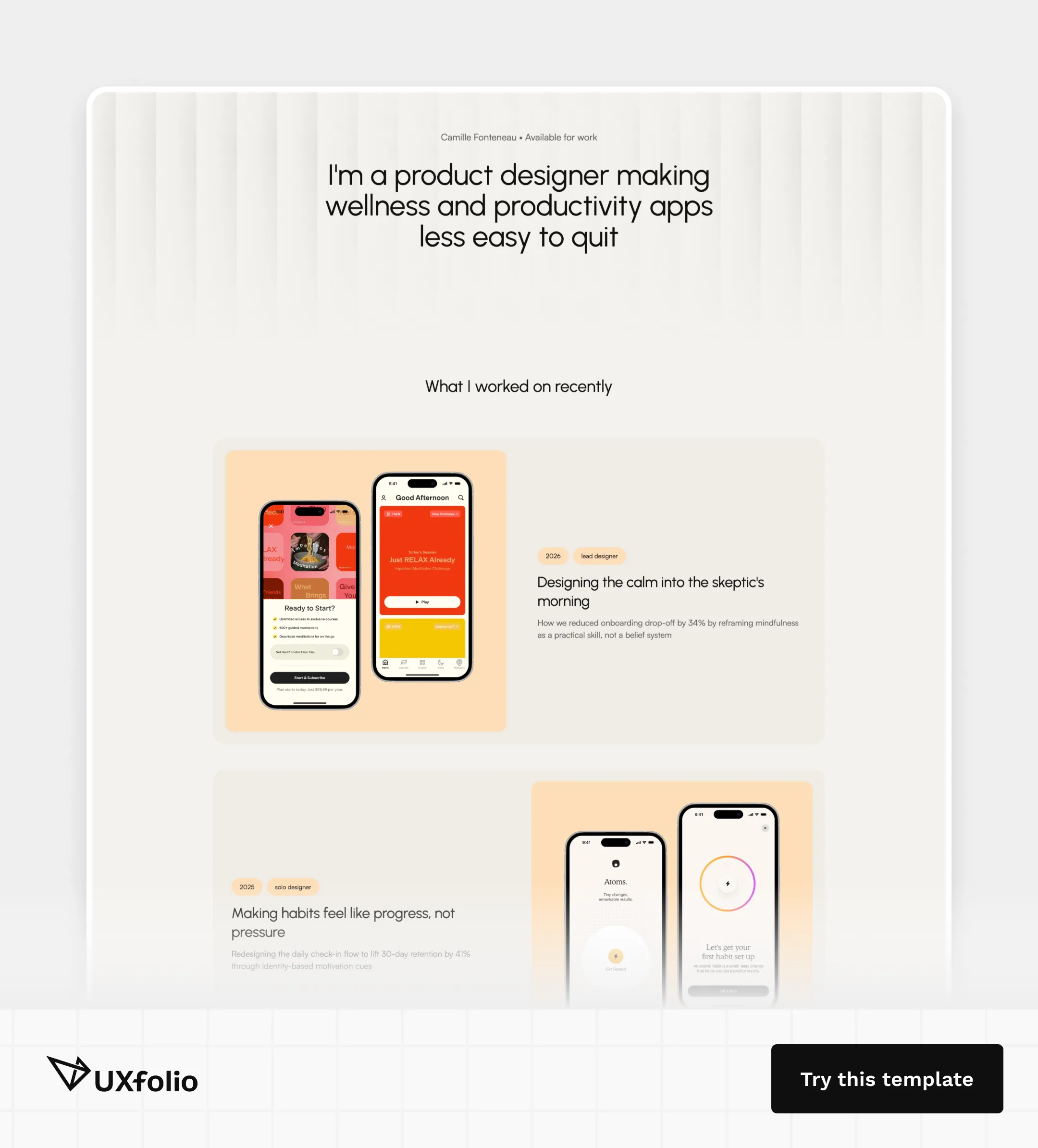
Platforms like UXfolio support this by helping designers structure case studies around research thinking and product decisions instead of simply showcasing screens, which has also become increasingly visible across modern UX portfolio examples.
The strongest portfolio case studies still depend on genuine reasoning and real project context, especially in UX research portfolios. AI can help improve clarity and structure, but it cannot replace the thinking behind the work itself.

Common mistakes when using AI in UX research
The biggest problems with AI-assisted research usually do not come from the tools themselves. They come from researchers using AI outputs uncritically or automating parts of the process that still require human interpretation.
Treating AI output as objective truth
AI-generated summaries often sound polished and confident, which makes them easy to trust too quickly.
But AI does not understand research context the way human researchers do. It predicts patterns based on language, not actual user intent or behavioral meaning.
This becomes dangerous when teams treat generated summaries as validated insights instead of draft material. Strong researchers verify AI outputs against raw participant data rather than assuming the tool is correct by default.
Over-automating research synthesis
Synthesis is one of the most tempting areas to automate because it is time-consuming and cognitively demanding. But fully automating synthesis often weakens research quality instead of improving efficiency.
AI can cluster themes and summarize observations quickly, but it still struggles to “interpret emotional nuance, contradictory behavior, or subtle contextual signals” across interviews.
The risk is ending up with clean-looking summaries that lack depth, prioritization, or strategic meaning.
Skipping participant context
Research insights rarely make sense without context. Two participants may express similar frustrations for completely different reasons depending on their goals, experience level, environment, or emotional state.
AI tools often flatten these differences because they prioritize linguistic similarity over situational nuance.
This is one reason qualitative research still requires close engagement with recordings, behaviors, and participant dynamics rather than relying entirely on generated summaries.
Important: Good UX research depends on understanding why users behave the way they do, not just identifying repeated phrases.
Using AI-generated personas without validation
AI-generated personas have become increasingly common because they are fast to create and visually polished. The problem is that many of them are not grounded in validated research.
Without real participant data, AI-generated personas often become polished assumptions disguised as research. This creates a false sense of user understanding while weakening actual product decisions.
AI can help structure or refine research-backed personas, but it should not replace the research process required to create them in the first place.

Will AI replace UX researchers?
AI will automate parts of UX research workflows, but it is unlikely to replace strong researchers entirely. The work most vulnerable to automation is usually operational: transcription, tagging, summarization, documentation, and early-stage pattern detection.
The parts that remain difficult to automate are the ones that create actual research value.
Which research tasks AI will automate
The most immediate impact of ai for ux research process is the neutralization of the “mechanical burden” that traditionally follows every study.
Modern research workflows are already offloading several key activities to AI:
- Dynamic transcription and timestamping: Moving from manual playback to searchable, instant verbatim records that allow researchers to jump straight to the “Aha!” moments.
- Thematic sorting and affinity clustering: Shifting from manual sticky-note organization to automated pattern detection across dozens of data sources simultaneously.
- Stakeholder-ready artifacts: Converting dense, 50-page transcripts into format-specific highlights, whether it’s a Jira ticket for developers or a punchy Slack update for PMs.
- Qualitative survey synthesis: Processing thousands of open-ended responses in minutes to identify common emotional sentiments and recurring friction points.
As these capabilities mature, the “documentation lag” that plagues lean product teams is disappearing. This evolution is critical for integrating ai into ux research workflow because it shortens the “insight-to-action” ratio.
What still requires human researchers
Despite the speed of generative user research, AI identifies patterns but lacks the ability to assign strategic weight. The researcher’s value is shifting toward three irreplaceable skills:
- Decoding: Identifying the hesitation, micro-frustrations, or contradictions between a user’s words and their behavior, nuances AI cannot quantify.
- Strategic translation: Filtering raw data through the lens of specific business goals, technical constraints, and the product roadmap to determine what is actually actionable.
- Challenging hypotheses: AI is fundamentally a prediction engine based on existing data. It cannot advocate for radical pivots or challenge a stakeholder’s core assumptions.
While AI handles the what, humans remain the sole owners of the why. Research is still an act of advocacy and interpretation, not just data processing.
Why AI-native researchers will have an advantage
The researchers who benefit most from AI are usually not the ones automating everything. They are the ones learning how to integrate AI selectively into high-quality workflows.
AI-native researchers can:
- synthesize faster,
- manage larger datasets,
- communicate insights more efficiently,
- and reduce operational bottlenecks without weakening rigor.
For junior UX designers especially, this is becoming a practical career advantage, particularly for those preparing for UX research-focused roles. Teams increasingly expect researchers to understand both research methodology and AI-assisted workflows.
Pro tip: The competitive advantage is no longer simply knowing how to use AI tools. It is knowing where automation improves research quality and where human interpretation still matters most.
How to build your own AI-assisted UX research workflow
The strongest AI-assisted research workflows are usually simple, selective, and intentionally structured. Most teams do not need fully automated research systems. They need workflows that reduce operational friction without weakening research quality.
A practical workflow often starts before research begins.
During planning, AI can help refine research goals, improve discussion guides, identify biased questions, or generate usability testing scenarios faster. Instead of starting from scratch, researchers can iterate on rough structures and focus more attention on study quality.
During interviews and usability testing, AI tools are most useful when they reduce documentation overhead. Automatic transcription, searchable notes, and AI-assisted summaries help researchers stay more present during sessions instead of splitting attention between moderation and note-taking.
After sessions, AI becomes most valuable during synthesis.
Researchers can use AI to:
- cluster recurring themes,
- summarize transcripts,
- organize observations,
- and identify repeated usability issues across participants.
But this is where human judgment matters most. Strong synthesis still depends on interpretation, prioritization, and contextual understanding rather than pattern detection alone.
Finally, AI can accelerate stakeholder communication by helping researchers structure reports, rewrite dense findings, and prepare shorter executive summaries for product teams.
The goal is not removing researchers from the process. The goal is reducing manual overhead so researchers can spend more time on interpretation, decision-making, and strategic thinking.
For junior UX designers especially, the best starting point is usually small workflow improvements rather than full automation. Learning how to use AI selectively across planning, synthesis, and communication already creates a significant advantage in modern research workflows, especially combined with strong UX design skills.

Frequently asked questions
How is AI used in UX research?
AI is mainly used to accelerate operational parts of UX research workflows. Researchers commonly use AI tools for transcription, note-taking, synthesis support, interview preparation, usability testing analysis, and stakeholder reporting.
What are the best AI tools for UX research?
The best AI UX research tools depend on the workflow stage.
Tools like Otter.ai and Fireflies.ai are commonly used for transcription and meeting summaries. Platforms like Dovetail and Condens help with synthesis and qualitative analysis. General AI assistants like ChatGPT are often used across planning, documentation, and stakeholder communication workflows.
Can AI replace UX researchers?
AI can automate repetitive operational tasks, but it still struggles with interpretation, emotional nuance, contextual reasoning, and strategic decision-making. Strong UX research depends heavily on human judgment. AI currently works best as workflow support rather than replacement.
Is AI-generated research reliable?
Summaries, insights, and synthesized patterns can contain hallucinations, bias, or misleading conclusions that sound convincing despite being inaccurate. Researchers should validate AI outputs against real participant data before using them in product decisions.
Should junior UX designers learn AI research tools?
Yes. AI-assisted workflows are becoming increasingly common across UX research and product teams. Junior designers who understand how to use AI selectively for planning, synthesis, documentation, and communication can often work more efficiently without sacrificing research quality.
You must be logged in to post a comment.