
A strong personal portfolio is no longer optional, it is the core asset that shapes how recruiters and clients assess your skills, your UX thinking, and your potential.
This guide gives you a clear, actionable framework to create a personal portfolio that stands out, reflects your professional identity, and meets current UX hiring standards, while staying fully optimized for search.
If you want a UX-ready foundation instead of building everything from scratch, you can explore UXfolio, which includes ready-made UX portfolio templates, structured case-study flows, and presentation tools designed around real recruiter expectations.
Page content
What is a personal portfolio?
A personal portfolio is a carefully structured, curated, and intentionally designed collection of your work that demonstrates your capabilities as a UX designer. Unlike a resume, which simply lists skills and experience, a portfolio shows your thinking, problem-solving approach, and practical application of UX principles.
In UX, a personal portfolio serves three core purposes:
1. Proof of competence
It demonstrates your real-world ability to apply UX methods, navigate constraints, collaborate with stakeholders, and deliver meaningful outcomes. Recruiters rely on portfolios far more than resumes, especially for junior roles. Exploring the best portfolio websites can help you benchmark effective strategies.
2. Evidence of your UX thinking
A strong personal portfolio highlights not only what you designed, but why you made those decisions. This includes research insights, ideation patterns, usability learnings, and the reasoning behind each design iteration. Reviewing case study structures in personal portfolios offers practical guidance.
3. Your personal brand
It communicates your tone, aesthetic preference, professional maturity, and how you differentiate yourself from other designers. Even subtle details – microcopy, layout choices, color use, and visual hierarchy – send a message about your style. Learn more about personal branding in UX portfolios.While formats vary, every personal portfolio should clearly present your best work, your process, and your professional identity. For inspiration, check curated lists of personal portfolio examples for students and junior UX designers.
What to include in a personal portfolio
A well-structured personal portfolio highlights only the elements that matter most to hiring managers. Its purpose is not to showcase everything you have ever designed, but to present the most strategic, most insightful work that reflects your UX thinking. Reviewing practical personal portfolio examples can help you understand which sections consistently perform well in recruiter reviews.
Short personal introduction
Your introduction should provide a concise snapshot of who you are as a UX designer – your specialization, the type of problems you solve, and your professional focus. Instead of generic statements, use specific value propositions that mirror those found in strong personal introduction examples for UX portfolios.
Best case studies
A personal portfolio is only as strong as its case studies. A strong case study presents the challenge, process, and impact with clarity. You should highlight research insights, iterations, constraints, and measurable outcomes. For reference, explore how top designers structure their narratives in these curated UX case study examples.
UX process explanation
Your process section should reflect how you actually work – not textbook theory. Clarify how you approach research, collaboration, ideation, and decision-making. This aligns with high-performing UX workflows demonstrated in detailed guides on UX process documentation.
Visual samples or prototypes
Visual assets help reviewers quickly understand your thinking. Show intentional decisions – typography, hierarchy, interaction logic – supported by clear visuals or prototypes. For UI-heavy roles, refer to effective visual techniques showcased in digital portfolio examples.
Tools, methods, and skills
Your tools section should clearly reflect the methods and platforms you actively rely on throughout your UX workflow – whether that includes Figma for interface design, Miro for collaboration, user interviews for qualitative insights, usability testing for validation, or synthesis frameworks for organizing research findings.
Prioritize authenticity and clarity over length, a focused, well-curated list demonstrates professionalism, confidence, and a mature design process. Highlighting tools that genuinely support your design decisions also helps hiring managers understand how you approach problem-solving and which capabilities you can bring to their team.
Contact + personal brand elements
Make it easy to contact you, and ensure your brand elements-tone, layout, microcopy – remain consistent across your portfolio. A strong personal brand can increase memorability, as explained in professional portfolio examples for UX designers.
A high-quality personal portfolio combines these elements into a cohesive structure that guides readers through your work logically, confidently, and professionally.
Personal portfolio structure (step-by-step template)
Creating a UX portfolio requires a clear, intuitive structure. The goal is to guide hiring managers and recruiters through your work, demonstrating your process, problem-solving abilities, and professional identity. A strong structure allows readers to quickly locate your strongest projects, understand your approach, and evaluate how you fit within their team. Thoughtful organization also reinforces your credibility and communicates that you approach UX design strategically.
Homepage structure
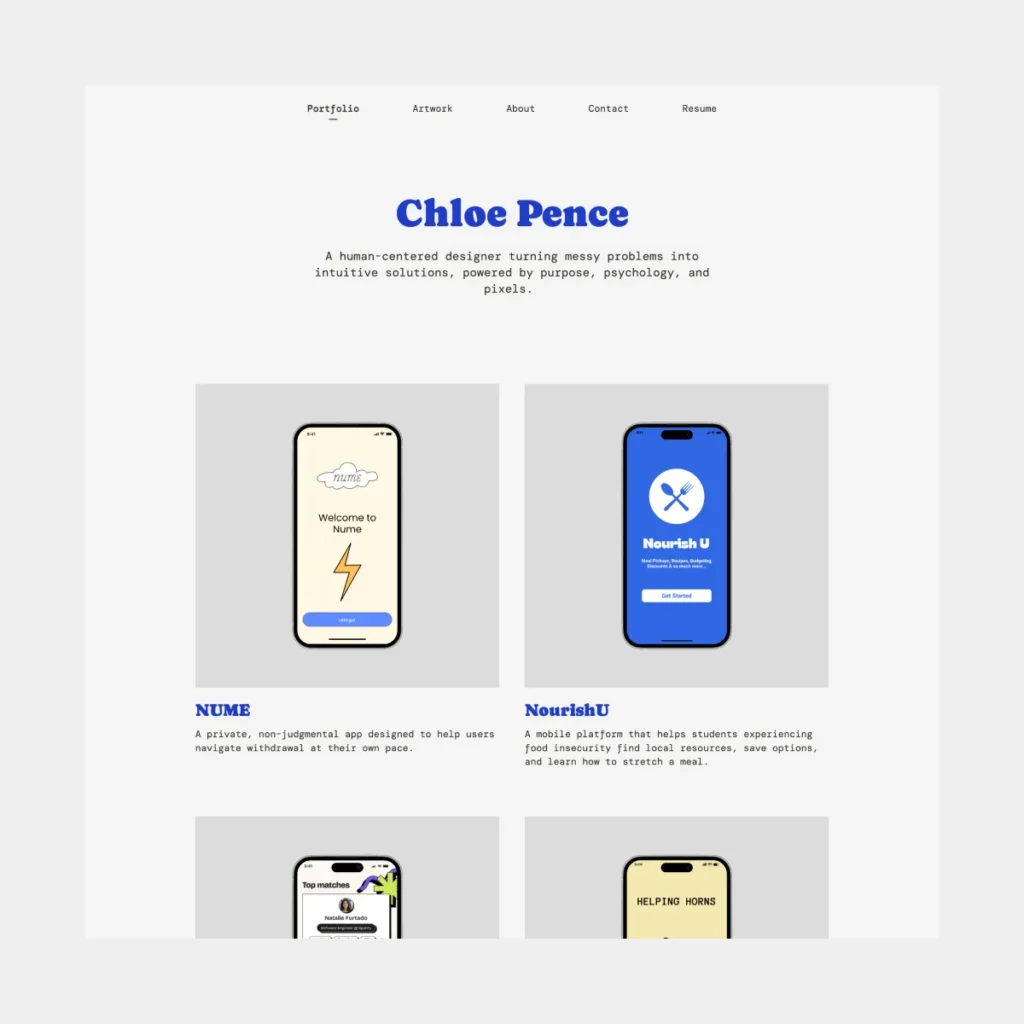
The homepage is the first impression of your portfolio and should establish clarity, professionalism, and focus. Start with a concise hero section featuring your name, professional title (e.g., UX Designer, Product Designer), and a one-line value proposition summarizing your approach or specialty.
Next, present 2–3 featured projects with visual previews. These case studies should immediately showcase your best work and give a sense of your design thinking. Navigation should remain simple and intuitive, with clear links to About, Portfolio, and Contact sections. The homepage sets the tone for the entire portfolio – confidence, clarity, and a professional voice are key.
About section
Your “about section” should balance professional context with personal insight. Begin with a short professional summary outlining your role, specialties, and experience. Next, describe your design philosophy, highlighting how you approach UX challenges, solve user problems, and iterate on solutions.
Including a brief personal detail or anecdote related to your design journey can humanize the page, but keep it concise. Two to three paragraphs are usually sufficient – hiring managers want insight into your thinking and approach, not a life story. Clarity and focus in this section reinforce your personal brand and the narrative.
Case study deep dive
Each project should follow a consistent structure that allows readers to understand your process without being overwhelmed. Start with a project overview describing the product, your role, and the challenge addressed. Define the user problem, then present research methods and insights that informed your design decisions.
Describe the design process, including ideation, wireframes, prototypes, and iterations. Conclude with outcomes and measurable impact, supported by metrics or qualitative feedback. Consistency across case studies helps recruiters compare projects and evaluate your approach, thinking, and problem-solving abilities efficiently.
To streamline this process, UXfolio’s portfolio builder not only provides structured templates and presentation tools but also integrates AI-powered features to assist with case-study writing, impact measurement, and content optimization.
Project gallery
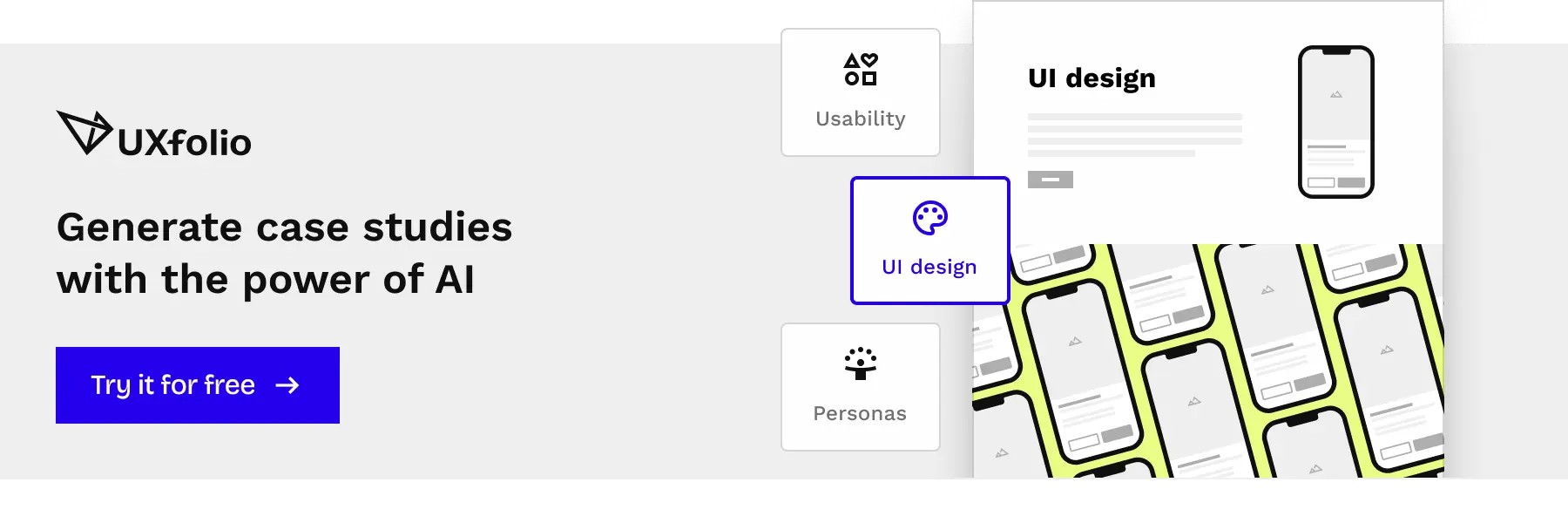
A gallery can feature smaller projects, experiments, or side work that complement your main case studies. Use concise visual previews and short captions to avoid clutter. This section adds depth and context, demonstrating versatility without distracting from your core projects.
Resume and contact section
Ensure your resume and contact information are easily accessible, ideally at the portfolio’s end. Contact options should be straightforward: email, LinkedIn, or a portfolio submission form. Optional links to professional networks can provide additional context. Visual alignment with your portfolio’s style ensures that these sections reinforce your professional brand rather than feeling disconnected.
Types of personal portfolios
Reviewing real UX portfolios is an essential step in understanding how to craft your own. Observing how other designers structure their work, present case studies, and communicate their process provides practical insights that go beyond theory.
Not all portfolios serve the same purpose. Your approach should align with your career stage, experience, and intended audience. Recognizing the types of portfolios that exist can help you identify strategies that suit your strengths and professional goals.
Minimalist portfolios
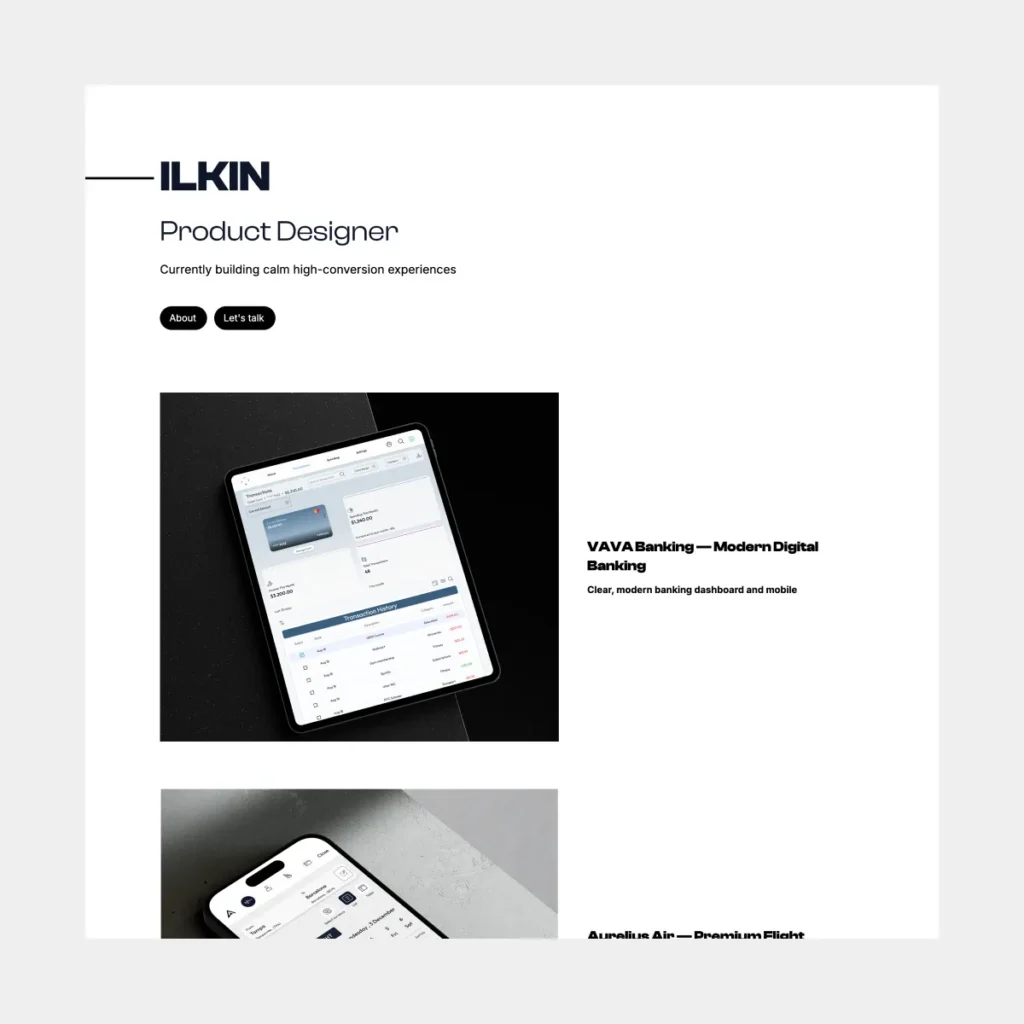
Minimalist portfolios prioritize clarity and focus. They rely on clean layouts, ample white space, and restrained typography to keep attention on the work itself. Each project is presented with concise descriptions emphasizing the problem, the solution, and its impact. This approach is particularly effective for junior designers who need to communicate foundational skills clearly. A minimalist design eliminates distractions, allowing recruiters to quickly evaluate process, reasoning, and results without visual clutter.
Case-study-heavy portfolios
Some portfolios emphasize depth over brevity. Case-study-heavy designs showcase multiple projects in detail, highlighting research, wireframes, prototypes, iterations, and measurable outcomes. This approach demonstrates problem-solving skills, methodological rigor, and strategic thinking.
It is particularly suitable for mid- to senior-level designers who want to illustrate their UX thinking comprehensively. Recruiters reviewing these portfolios can follow decision-making processes and evaluate your ability to navigate complex design challenges.
Visual storytelling portfolios
Visual storytelling portfolios use rich visual elements to convey process and results. Interactive prototypes, animations, infographics, and well-structured visual hierarchies help illustrate UX problems and solutions effectively. This style suits designers applying for product or UI-focused roles where presentation, engagement, and visual communication are critical. Strong visual storytelling makes your thinking tangible and immediately understandable.
Student and junior portfolios
Even early-career designers can make an impression by focusing on clarity, structured presentation, and learning outcomes. Highlighting personal or class projects, along with smaller side experiments, demonstrates versatility while maintaining a readable, organized portfolio.
Personal portfolio inspiration
Finding inspiration is a crucial step in creating a personal portfolio. Reviewing diverse portfolios allows you to understand what works, what communicates your skills most effectively, and how to differentiate yourself in a competitive UX field.
Cross-disciplinary inspiration
Explore portfolios not only from UX designers but also from product designers, UI specialists, and even graphic designers. This variety helps you:
- Identify innovative layouts and interactive features
- Learn alternative ways to visualize problem-solving
- Observe how storytelling is applied in different design disciplines
- Understand different approaches to showcasing user research
Feature-driven inspiration
Instead of replicating entire portfolios, focus on specific elements that resonate with your objectives.
Examples include:
- Detailed case-study structure highlighting challenges, solutions, and outcomes
- Use of interactive prototypes, animations, or embedded micro-interactions
- Visual hierarchy that guides the viewer through complex information
- Effective integration of metrics and user impact to demonstrate real-world results
- Clean navigation that balances aesthetics with usability
Benchmarking against industry leaders
Studying the portfolios of senior UX designers, award-winning designers, or established product teams can provide actionable insights.
Pay attention to:
- How they communicate their UX process clearly and concisely
- The balance between text and visuals to explain design decisions
- How strategic thinking and problem-solving are highlighted
- Approaches to demonstrating collaboration and teamwork
Tailoring inspiration to your career stage
Your portfolio should reflect your experience level while remaining aspirational. For example:
- Junior designers: Focus on clear documentation, learning outcomes, and clean, organized layouts.
- Mid-level designers: Highlight diverse projects, measurable impact, and UX thinking.
- Senior designers: Showcase leadership, strategic contributions, mentorship, and cross-functional collaboration.
Practical tip: Use inspiration to guide your decisions, not to copy. Document techniques, layouts, or storytelling strategies that resonate with you. Then adapt and combine them to create a portfolio that is uniquely yours, authentic, and aligned with your career goals.
Diverse inspiration allows you to understand patterns, refine your voice, and communicate your skills in a way that is compelling, clear, and professional.
How to make your personal portfolio stand out
A memorable portfolio doesn’t rely on volume or flashy visuals – it stands out because it communicates intention. What ultimately differentiates strong designers is how they frame their work, not how loudly they present it. A standout UX portfolio feels deliberate: curated projects, clear reasoning, and confident storytelling that reflects the designer’s maturity. The sections below explore several angles to help your portfolio rise above the noise.
Storytelling essentials
The best UX portfolios read like refined stories rather than collections of deliverables. Not every project needs dramatic twists, but it should guide the viewer with a sense of progression. For some designers, this means opening with a sharp problem statement, others prefer to start with the users, the context, or even a pivotal moment that shaped the project. What matters is narrative clarity.
Strong storytelling might include:
- A contextual snapshot of the situation: who the product serves, what was broken, and why the work mattered.
- A transparent look at unexpected turns – contradicting research, messy handoff constraints, or insights that derailed your original assumptions.
- A sequence of visuals that allows the reader to “walk” through your thinking rather than just observe outcomes.
Instead of treating the story as a formality, use it as the backbone of your portfolio’s personality.
Highlighting your UX thinking
Your design decisions don’t need to be heroic – they just need to be visible. Some designers annotate their artifacts, others rewrite their case studies around a single guiding insight or a hard tradeoff they had to make. Both approaches work.
A few ways to foreground your thinking:
- Show how research actually shaped what happened next instead of listing methods.
- Expose the decision points: what you debated, what you discarded, what you prioritized.
- Bring attention to patterns you recognized – behavioral, technical, or strategic – and how these shaped your choices.
- Discuss the uncertainties you had to navigate. Ambiguity is part of UX, and your comfort with it signals seniority.
This is where your portfolio becomes more than a gallery: it becomes evidence of your judgment.
Avoiding common beginner mistakes
Most weak portfolios fall apart not because of poor design, but because of presentation habits that dilute credibility. Some slip into vague wording, others include everything they’ve ever worked on, overwhelming the viewer before they’ve even reached the first insight.
To avoid the pitfalls:
- Resist the temptation to upload every side project – show restraint and intentional curation instead.
- Replace jargon-heavy statements with concrete context.
- Edit your layout for breathing room: spacing, hierarchy, and rhythm matter as much here as in any digital product.
- Demonstrate awareness of accessibility and responsive considerations, their absence sends the wrong message.
- Avoid presenting only polished UI mockups – the process is the proof.
What you leave out is often as important as what you include.
Choosing the right layout/design pattern
There is no “correct” portfolio layout, there is only a layout that reinforces your strengths. Some designers thrive with a systematic, grid-driven approach. Others choose a more editorial, story-forward structure that mirrors magazine design or longform content.
Whichever direction you choose, consider:
- How quickly a viewer can form a first impression about who you are as a designer.
- How typography supports pacing and clarity.
- Whether interactions (scroll-based animations, embedded prototypes, microinteractions) genuinely add clarity or simply decorate.
- How effortlessly someone can jump between a summary view and deeper case-study detail.
Think of your portfolio as a demonstration of your product sense: layout becomes a silent indicator of your UX maturity.
Continuous refinement
The strongest portfolios are never static – they evolve. Experienced designers often treat their portfolio like a beta product: they release, gather feedback, refine, and ship again. Sometimes the refinement involves retiring a beloved project, other times it means restructuring a case study because the story no longer reflects their current standards.
Refinement might include:
- Updating the writing to be sharper, more concise, or more reflective of your actual contribution.
- Replacing outdated visuals or reorganizing your case studies with more intuitive flows.
- Incorporating new skills – research techniques, prototyping tools, or strategic frameworks – as your practice matures.
- Revisiting the narrative to ensure it aligns with the types of roles you’re targeting today.
Iteration isn’t cosmetic – it’s part of your professional identity.
Personal portfolio templates
Design leads review hundreds of UX portfolios every year and one pattern is unmistakable: designers with a strong template and a clear narrative consistently stand out. A good personal portfolio template doesn’t just make your portfolio look polished, it gives structure to your story, highlights your decisions, and keeps attention on the quality of your work instead of on page layout struggles.
The best templates create clarity. They guide employers through your process, emphasize decisions and outcomes, and help you avoid the common pitfalls: inconsistent formatting, messy sections, missing context, or thin case studies. Junior designers benefit from this scaffolding the most, but even senior designers use templates to speed up production while maintaining strategic storytelling.
This is exactly why UXfolio’s portfolio builder is built around research-backed UX case-study patterns. Instead of generic website templates, UXfolio provides UX-specific portfolio structures, content prompts, expert guiding questions, and customizable project galleries designed with input from design leads, mentors, and hiring managers. The result: case studies that are easy to follow, rich in insight, and aligned with what recruiters actually look for.
With UXfolio, you get:
- Customizable UX portfolio templates grounded in real hiring-world expectations
- A fine-tuned case-study generator that helps you articulate decisions and impact
- Professional mockups, galleries, and project grids designed to elevate your work
- A thumbnail and cover designer to ensure consistent, high-quality presentation
- UX-focused writing support that helps you avoid vague language and tell a strong story
Instead of spending weeks wrestling with Webflow or building from scratch in Figma, UXfolio gives you a streamlined workflow so you can focus on the quality of your work, not the mechanics of publishing it. It’s a portfolio builder created specifically for UXers, by UX professionals who have reviewed thousands of portfolios and understand what makes one rise above the rest.
Whether you’re building your first portfolio or refreshing an outdated one, a strong, UX-centered template gives you the clarity and structure needed to present your work with confidence. With the right tools behind you, your portfolio becomes more than a showcase – it becomes a compelling product with a clear purpose and a clear audience.
If you want to build a portfolio faster, easier, and with sharper storytelling from the start, UXfolio’s templates give you an immediate head start. Sign up, explore the templates, and start shaping the next step of your UX career.
Frequently Asked Questions (FAQ)
What is a personal portfolio?
A personal portfolio is a curated collection of your work that showcases your skills, design thinking, and UX process. It goes beyond visual design; it tells the story of how you approach problems, create solutions, and communicate your ideas. For UX designers, a portfolio often includes case studies, prototypes, visual samples, and explanations of your methodology.
What should I include in my personal portfolio?
Your portfolio should feature a short personal introduction, your best case studies, examples of your UX process, visual designs or prototypes, the tools and methods you use, and clear contact information. Incorporating elements that reflect your personal brand will make your portfolio memorable to recruiters or clients.
How do I structure a personal portfolio website?
A well-structured personal portfolio website usually starts with a homepage overview, followed by an about section, detailed case study deep dives, a project gallery, and a resume or contact page. This structure ensures visitors can easily navigate your work while understanding your design thinking.
Can I use templates for my personal portfolio?
Yes, using personal portfolio website templates can save time and provide a professional structure. You can customize templates to reflect your style and UX approach. Whether you start from scratch or use a template, ensure your portfolio demonstrates your process, problem-solving skills, and storytelling ability.
How do I make my personal portfolio stand out?
Stand out by emphasizing storytelling, highlighting your UX thinking, avoiding common beginner mistakes, and choosing a layout that complements your work. Real UX designer examples and visual storytelling techniques can inspire innovative ways to present your projects effectively.