

Creating a UX research portfolio can feel surprisingly difficult. Unlike designers, researchers rarely have polished screens, shiny prototypes, or visual deliverables to showcase.
In this guide, you’ll find real UX research portfolio examples, practical portfolio-building advice, and useful informations about UX research portfolio mistakes as well.
For inspiration on design-focused portfolios, check out these UX portfolio examples.
Quick tips for your UX research portfolio in 2026
- Be authentic: Include reflections on what went wrong and what you learned.
- Prioritize thinking over visuals: Explain the “why” behind your method choices.
- Focus on impact: Always answer “so what happened next?” after your findings.
- Visualize the mess: Use affinity maps and journey maps to make your process tangible.
Page content
UX research portfolio examples for inspiration
Below you’ll find real UX research portfolio examples – each demonstrating different strengths, structures, and research storytelling styles.
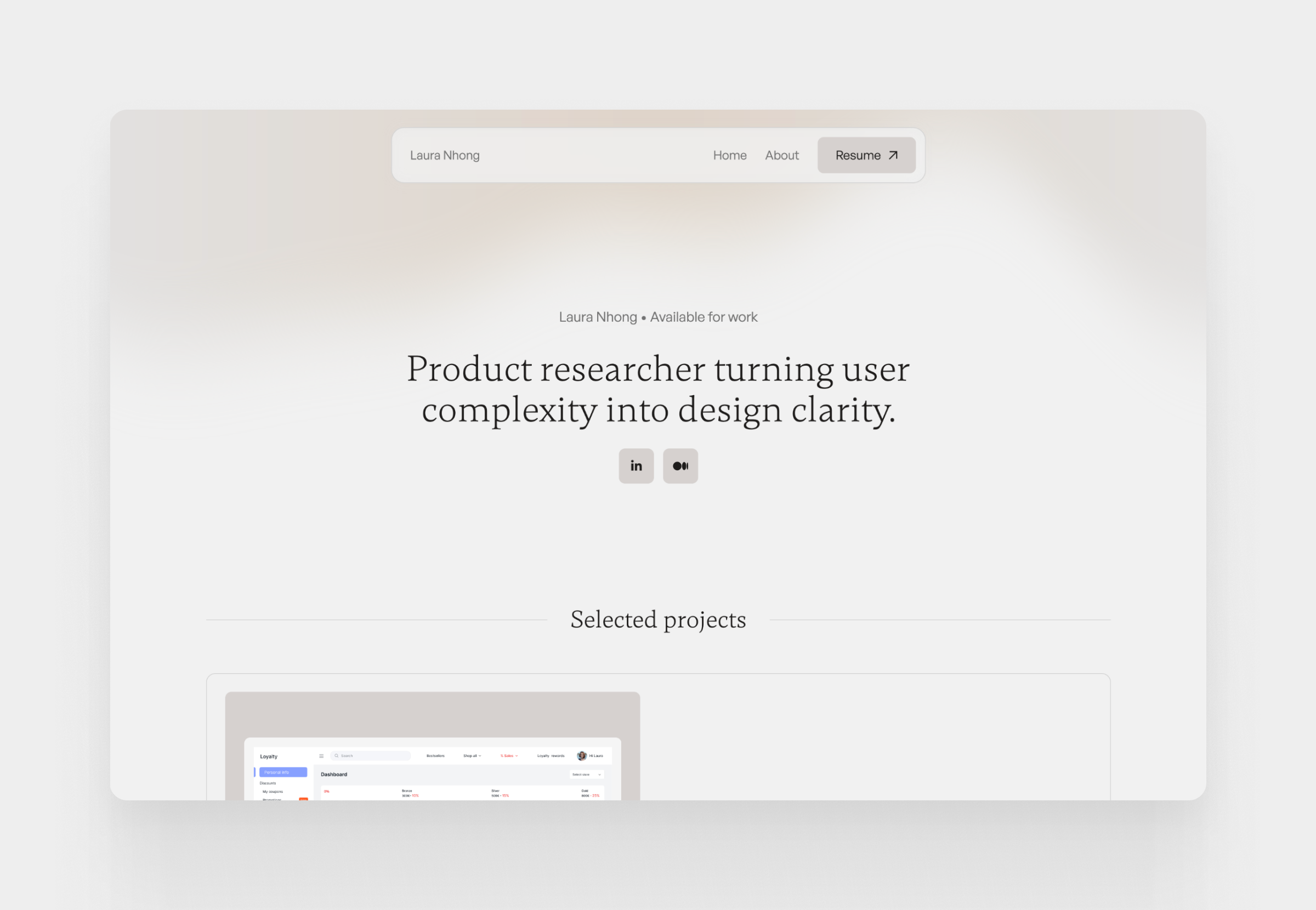
1. Laura
Laura’s portfolio is an excellent example of clarity and synthesis. She demonstrates how a “full-stack” professional can use research to ground every design decision in real, observed user behaviors.
2. Ansh
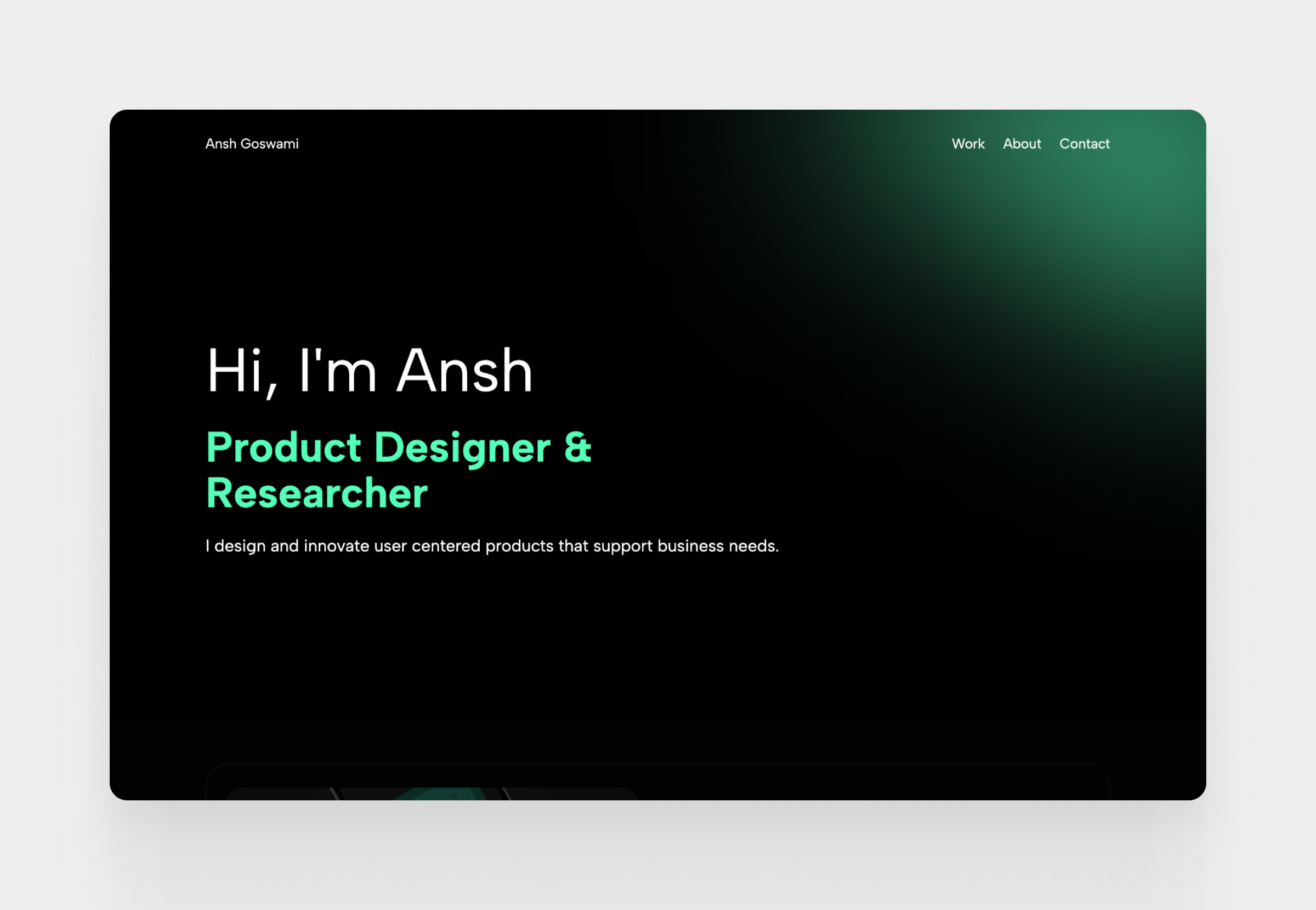
Ansh’s portfolio focuses on the intersection of research and technical problem-solving. He showcases a lean, agile approach to research that is perfect for fast-moving product teams looking for quick, actionable insights.
3. Ashna
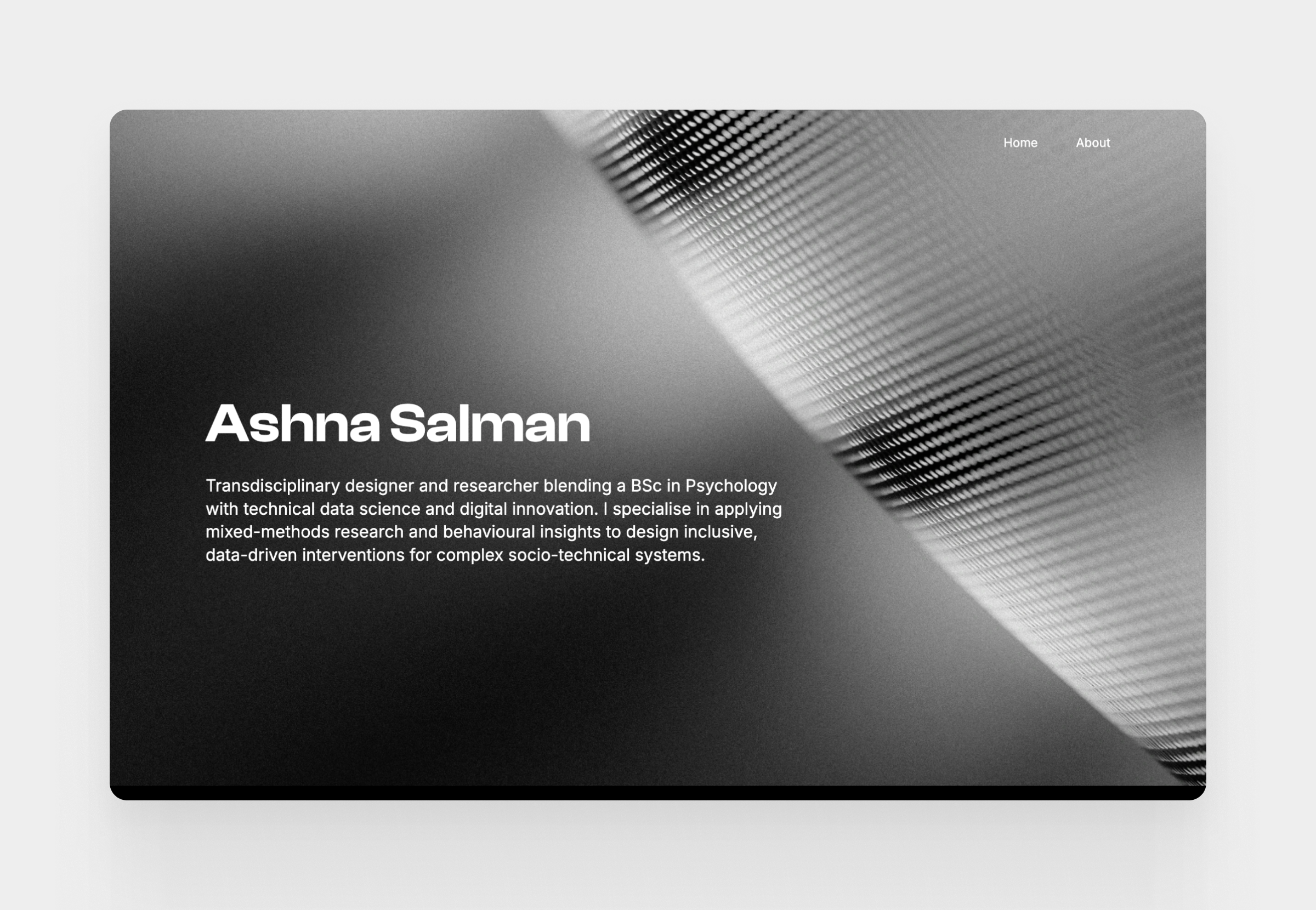
Ashna, uses bold visuals to make a professional statement. His portfolio reflects the confidence of a practitioner working on enterprise-level problems where research must scale across massive organizations.
4. Phoebe
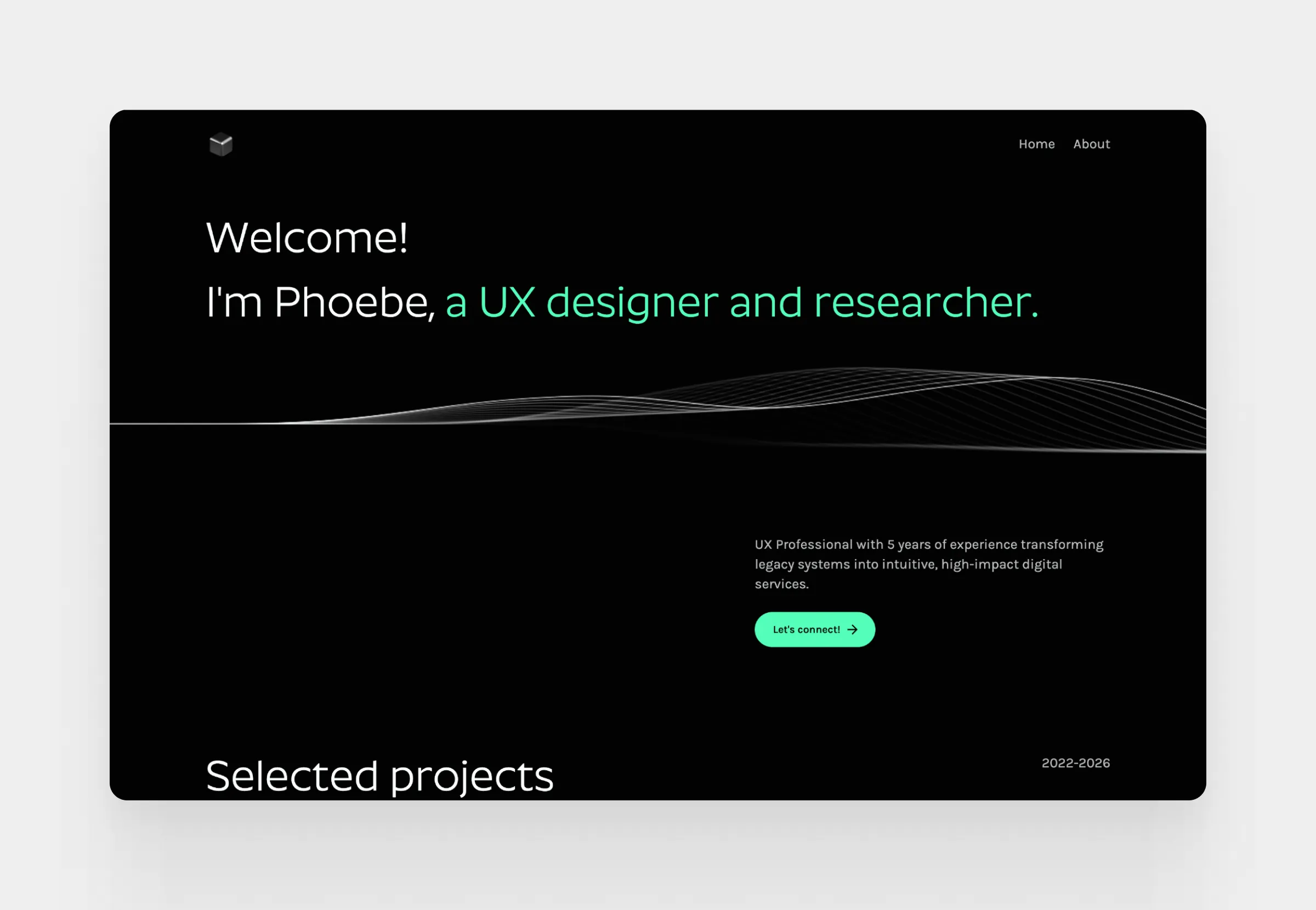
Phoebe shows how to translate academic rigor into industry results. Her portfolio bridges the gap between complex human factors psychology and actionable product design, letting her data-driven insights take center stage.
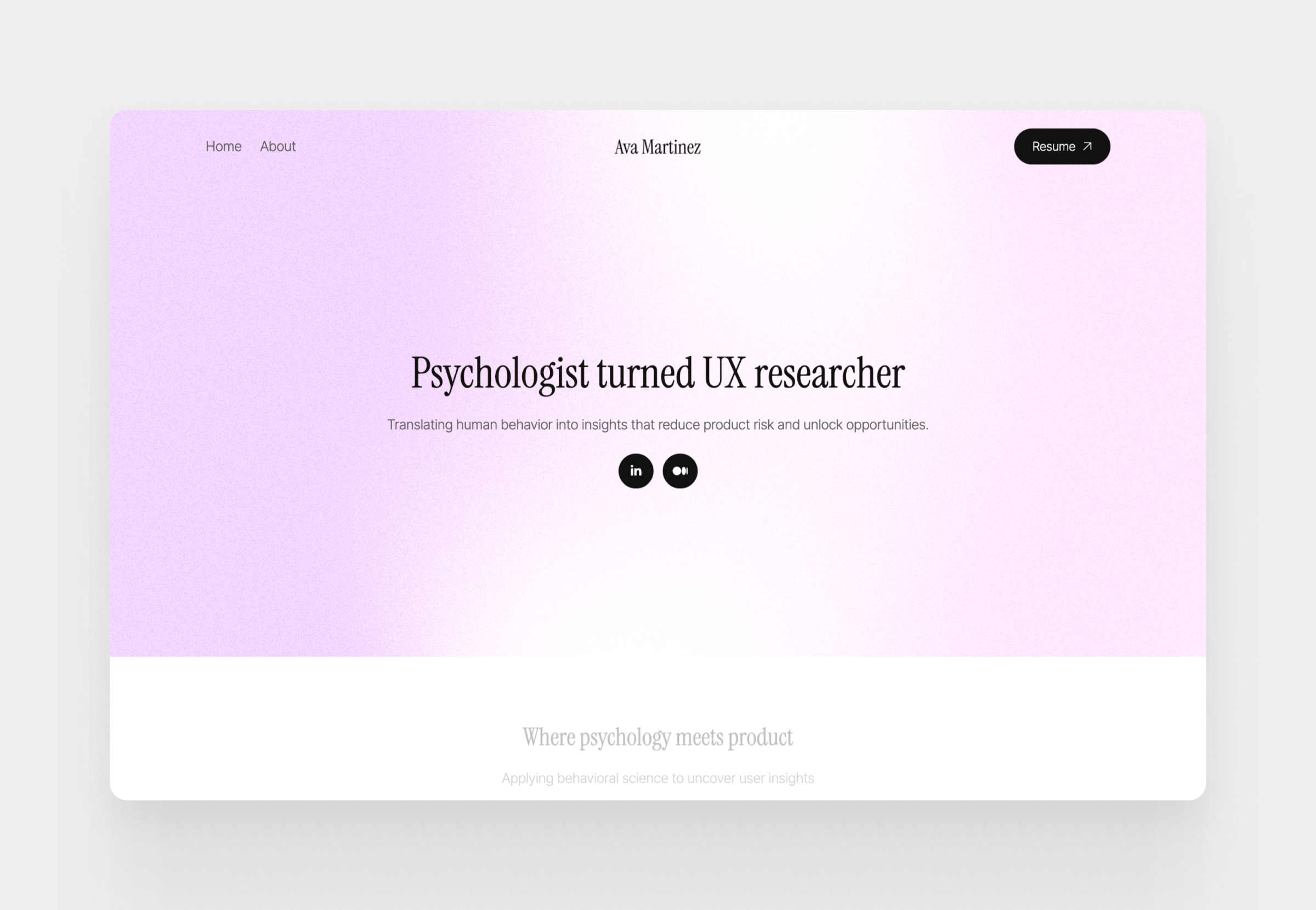
5. Ava Martinez
Ava emphasizes the importance of inclusive design and user advocacy. Her case studies show how research can uncover the needs of marginalized groups to create products that are truly accessible and impactful for everyone.
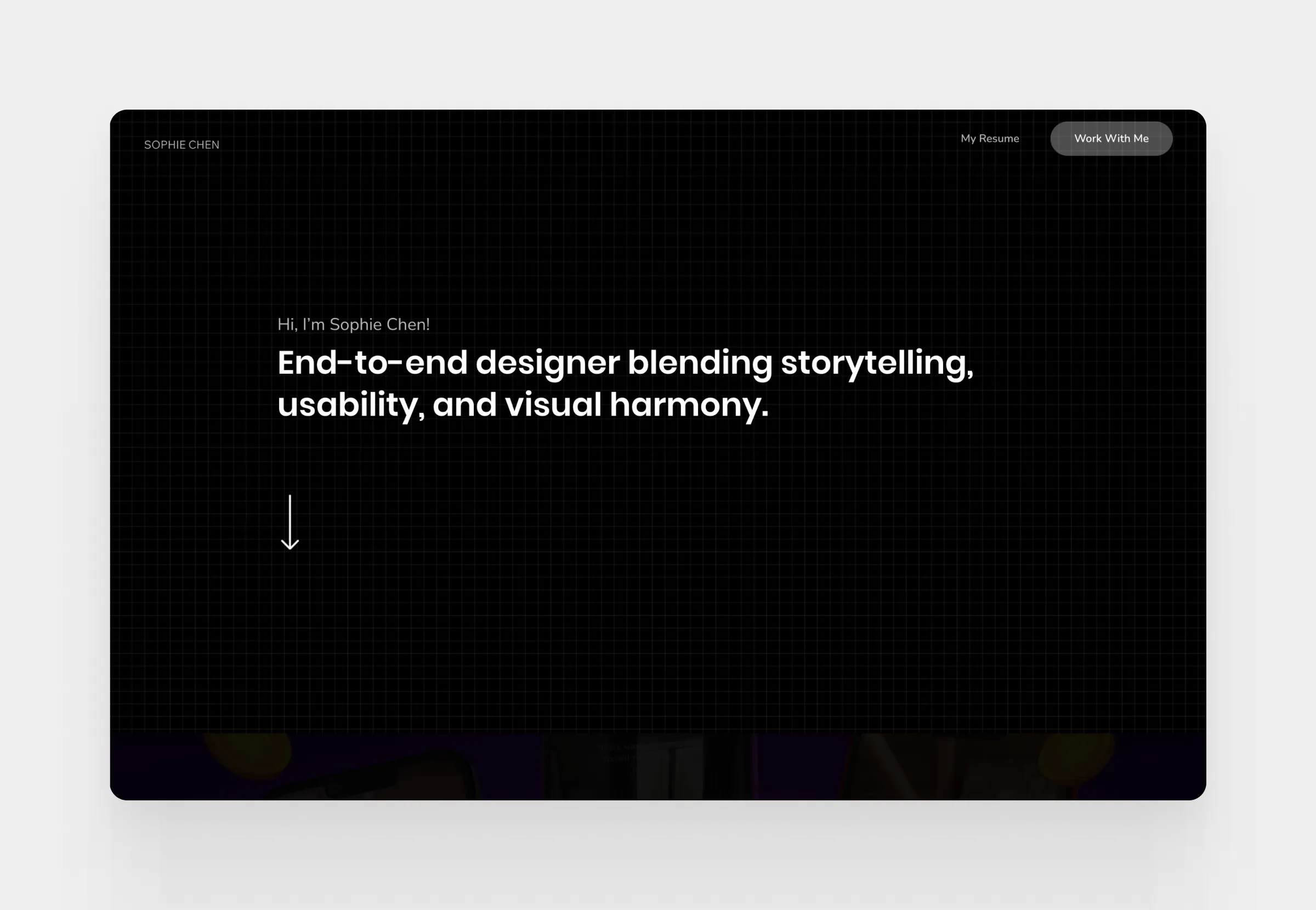
6. Sophie
Sophie excels at documenting complex research processes in specialized fields like health tech. She shows how to maintain methodological rigor while presenting findings that are easy for non-researchers and stakeholders to digest.
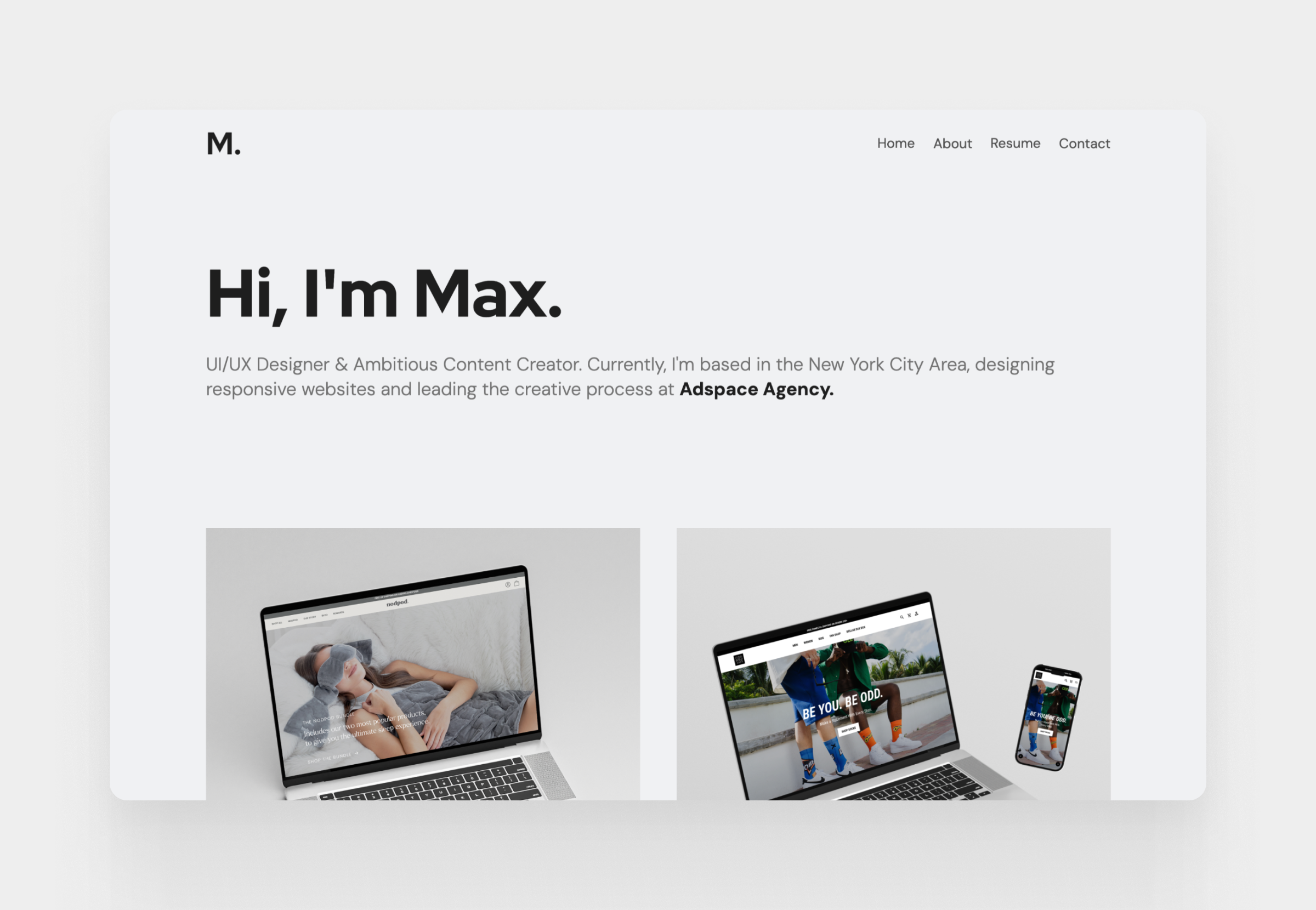
7. Maxwell Marra
Maxwell’s work highlights the strategic side of research in product development. He excels at showing how deep user investigation directly informs design systems and high-level product strategy for global brands.
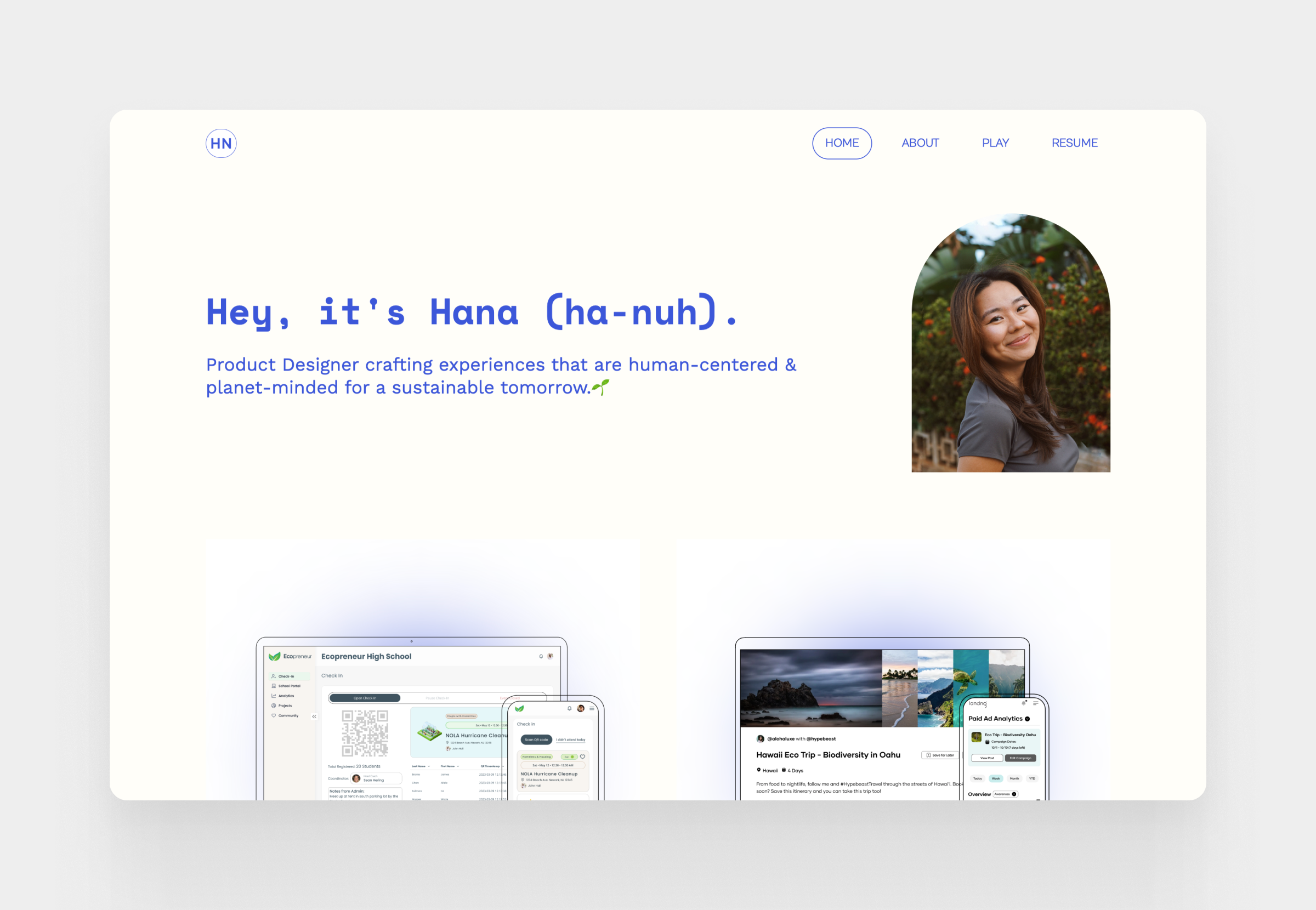
8. Hana Nakano
Hana uses a strong narrative approach to make her research findings feel personal and urgent. Her portfolio is a great example of how to use storytelling to build empathy and align stakeholders around the user’s journey.
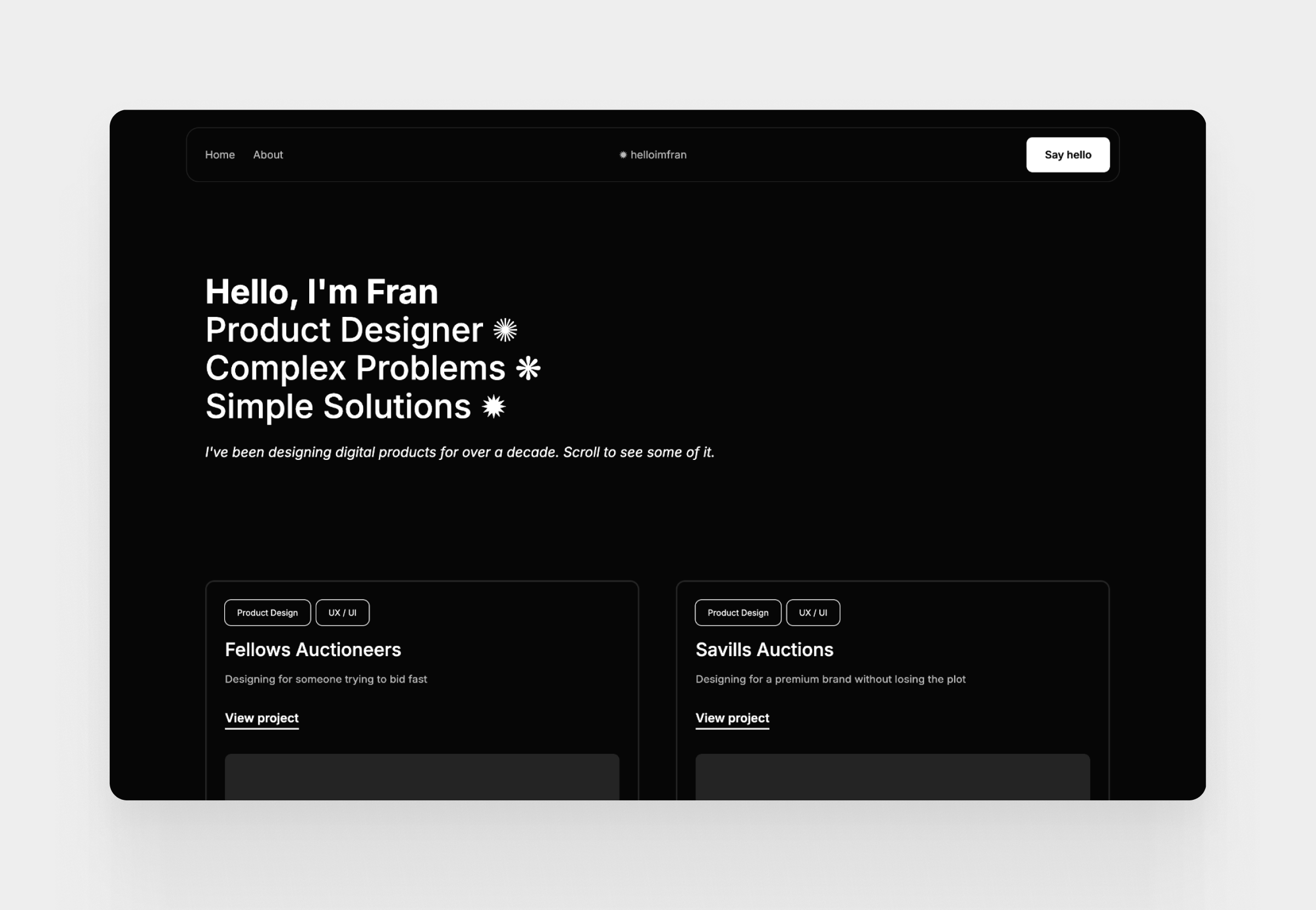
9. Fran
Fran demonstrates the power of visual storytelling in research. His portfolio proves that research deliverables don’t have to be boring documents; they can be engaging visual assets that bring complex data to life.
What makes a strong UX research portfolio?
The strongest portfolios aren’t necessarily the most polished or visually impressive. In fact, many hiring managers care far more about how you think than how your digital portfolio looks. A beautiful layout might get someone’s attention, but your research process and decision-making are what keep them reading.
A strong UX research portfolio helps readers understand not only what you did, but why you did it, what you learned, and how those insights changed the product. Let’s break down the qualities that consistently appear in the best portfolios.
Show your research process, not just findings
One of the most common mistakes researchers make is jumping straight to findings. But findings without context are impossible to evaluate. Anyone can present a list of “user needs.” What employers want to see is the UX design process you took to get there.
Walk readers through your journey. Explain the challenge, your initial assumptions, and why you selected specific methods. For example, don’t just mention you conducted user interviews, explain why interviews were the best tool for that specific question and what limitations you had to account for.
Demonstrate how research influenced decisions
Research only creates value when it changes something. One of the first questions a recruiter asks is:
- So what happened next?
- Did your findings influence a redesign?
- Did they uncover a gap in the market?
- Did they help the team stop working on a feature that nobody wanted?
Many junior researchers spend too much time explaining methods and too little on outcomes. Showing influence is always more powerful than showing activity.
Present evidence instead of assumptions
Strong portfolios make claims and then support them with evidence. Whenever possible, connect your conclusions to actual research artifacts: a representative interview quote, a heat map, or a pattern from usability testing. This demonstrates rigor and makes your insights feel credible. A single well-chosen user quote can often communicate more than several paragraphs of explanation.
Highlight collaboration and communication
Research rarely happens in isolation. Your ability to work with designers, product managers, and developers is just as important as your ability to analyze data. Use your portfolio to explain how you facilitated workshops, presented findings to stakeholders, or helped the design team prioritize opportunities based on your work.
Reflect on what you learned
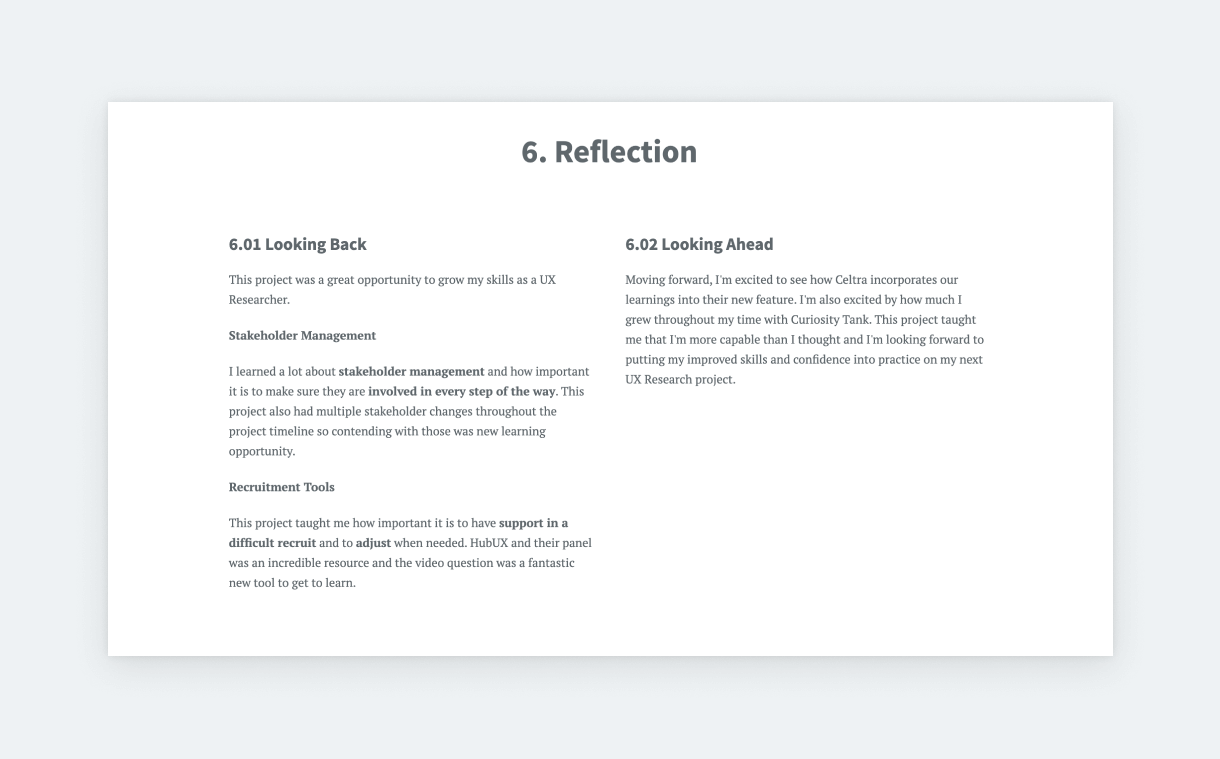
Every project involves trade-offs, mistakes, and constraints. Sharing these experiences makes your portfolio feel authentic. Discussing a method that didn’t produce the results you expected or a recruitment challenge you underestimated demonstrates self-awareness. It shows you aren’t just following a template, you’re a practitioner who learns from every project.
UX research portfolio vs UX design portfolio
At first glance, research and design portfolios look similar: both showcase problem-solving and project work. However, the core focus is fundamentally different.
What UX designers usually showcase
A designer’s portfolio is about the evolution of a solution. It highlights user flows, wireframes, prototypes, and final high-fidelity screens. The visual outcome is often the star, showing how the designer iterated on ideas to arrive at a professional portfolio interface.
What UX researchers need to showcase
A research portfolio is about the evolution of understanding. Instead of highlighting the solution, it highlights the investigation that informed it. Your “visuals” are different: instead of mockups, you show affinity maps, survey data, observation notes, or journey maps from top UX/UI websites. Hiring teams don’t expect polished ui, they expect evidence of research thinking.
When your portfolio includes both design and research
It is common for junior professionals to handle both research and design. If your projects include both, don’t feel pressured to separate them. Instead, clearly distinguish your contributions. Show the direct line from a specific user insight to a specific design decision. This “full-stack” approach can be a major strength, as it shows you can both uncover problems and solve them.
How to make a UX research portfolio (Step-by-step)
1. Select your best projects
The most difficult part of creating a UX researcher portfolio (or any other portfolio) is getting started. This applies to the beginner with little experience, just as much as the senior with tons. But don’t worry! You don’t have to jump in right away. Diligence and attention to detail have led you to work as a researcher, so start with a good plan:
- Write a list of your past projects
- Proceed in chronological order
- List the research methods you’ve used in each
- Identify your best material
- These will be the 3-4 projects that you’ll feature in your portfolio
- Here are a few pointers that can help
- The project that you’re most proud of
- The project that showcases most of your skills
- The project that best showcases your process
- The project where your research had the most impact
- The project through which you’ve learned the most
- Start with the project that checks most of these pointers
- Write an outline for the structure
- This will be the skeleton of your story
- Think about the project’s phases, the methods used, and the findings
- Here’s a researcher case study template that can help:
- The product/client
- The problem/challenges
- Hypotheses
- Solutions: Research methods and processes
- Findings/Results
- Takeaways
- Personal learnings
- Find the highlights
- Think about the main points in each step
- List out a few keywords (e.g., major challenges, goals, hypotheses, findings, learnings, etc.)
- This helps you find the focus point of each chapter and stick to it while writing the content.
- Fill out your outline
- Now that you have a structure and keywords, it’s time to connect it all
- Remember to keep it short and focused
- We’ll share some tips for this part as well
Pro tip: Get more knowledge about how to use AI in UX research.
Now, we’ll move on to some tips regarding the content!
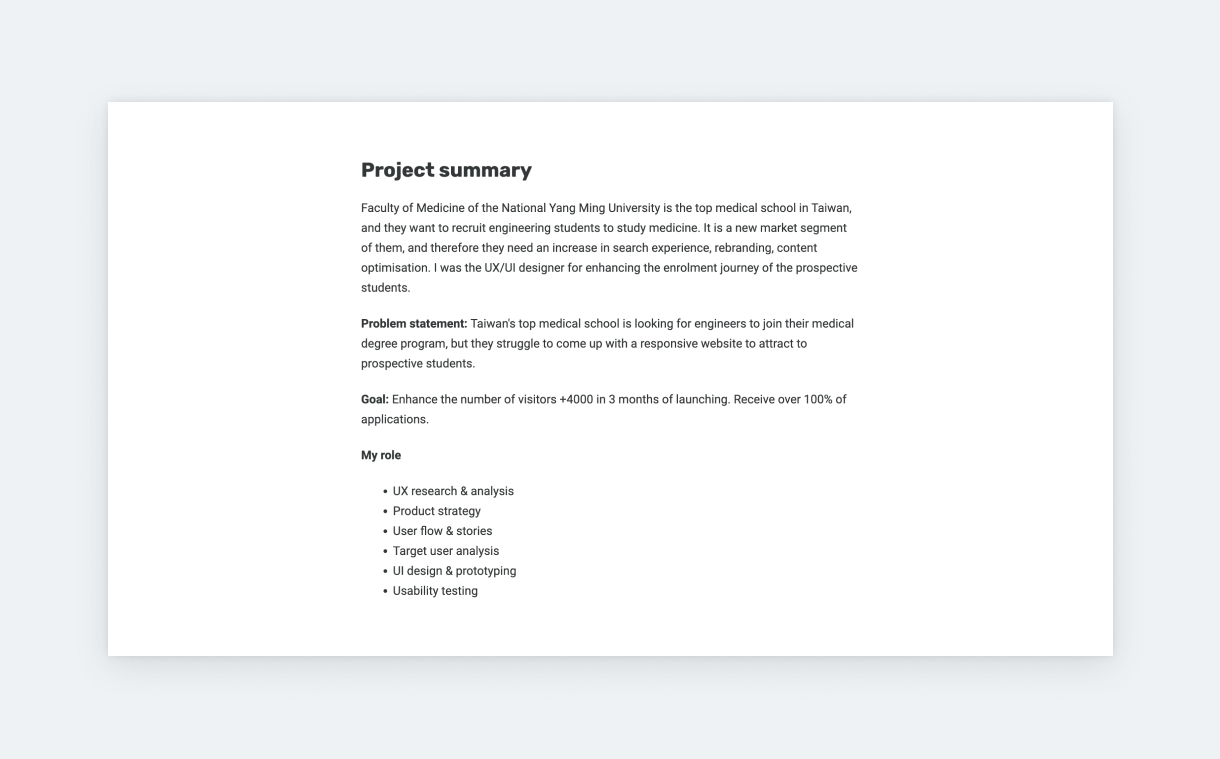
2. Show research process clearly
Showing the results of our work is important but explaining how we got there generates even more interest. Familiarizing the reader with your thought processes is the key to a great UX researcher portfolio.
Introduce your methods
Talk about the exact methods in more detail. But instead of defining the method itself, focus on why and how you used them in the project. If you did something unique or experimented with new methods, share the learnings and what you would do differently next time. Explain how you validated or unvalidated hypotheses.
Show outputs
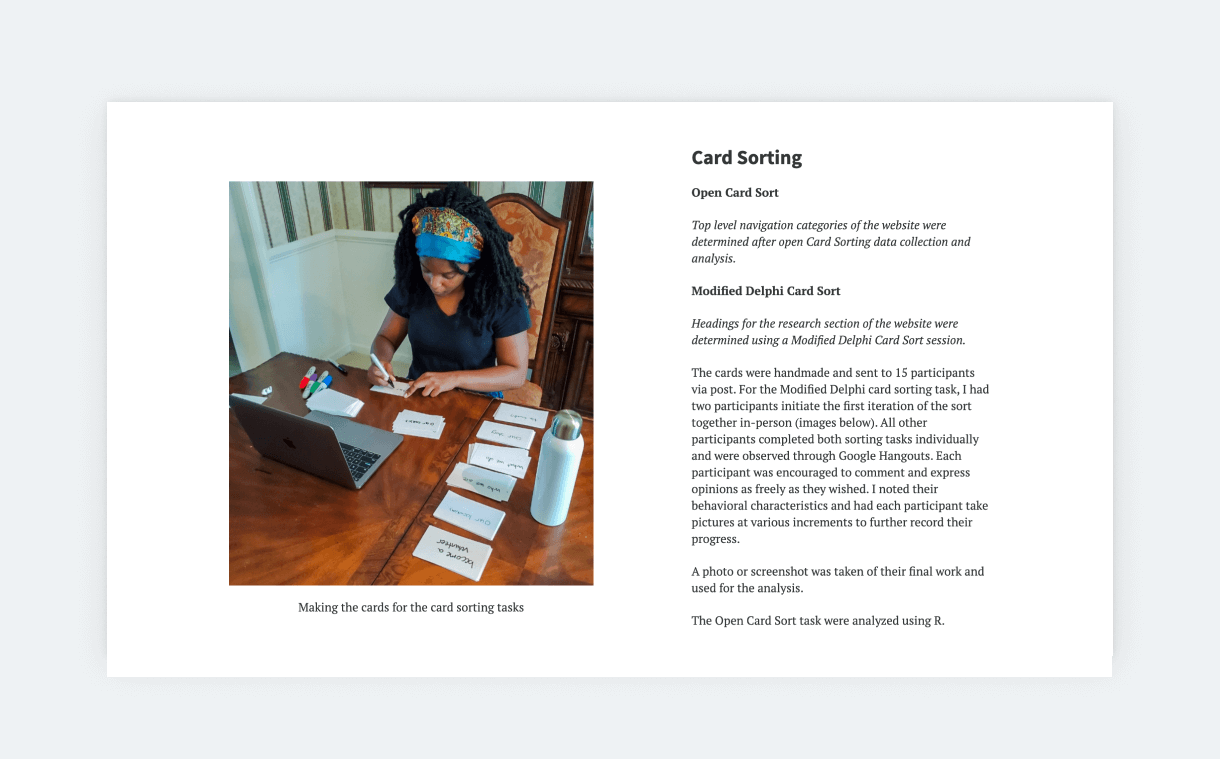
Show the output of your work wherever possible in a visually appealing way. If it’s a spreadsheet with survey answers, put some effort into cleaning it up, and changing the fonts and colors to match your case study. If it’s a screenshot of a user interview, crop everything unnecessary. And so on. These little things take only a few minutes but have a big impact on your case study.
Share findings
Findings are the highlight of UX research case studies, so summarize them with extra care. A great way to approach this part is using statement + evidence pairs. Write a statement and support it with the evidence you have collected during your research. Whenever possible, Include user quotes. They make everything feel much more personal and, therefore, real.
Include firm results
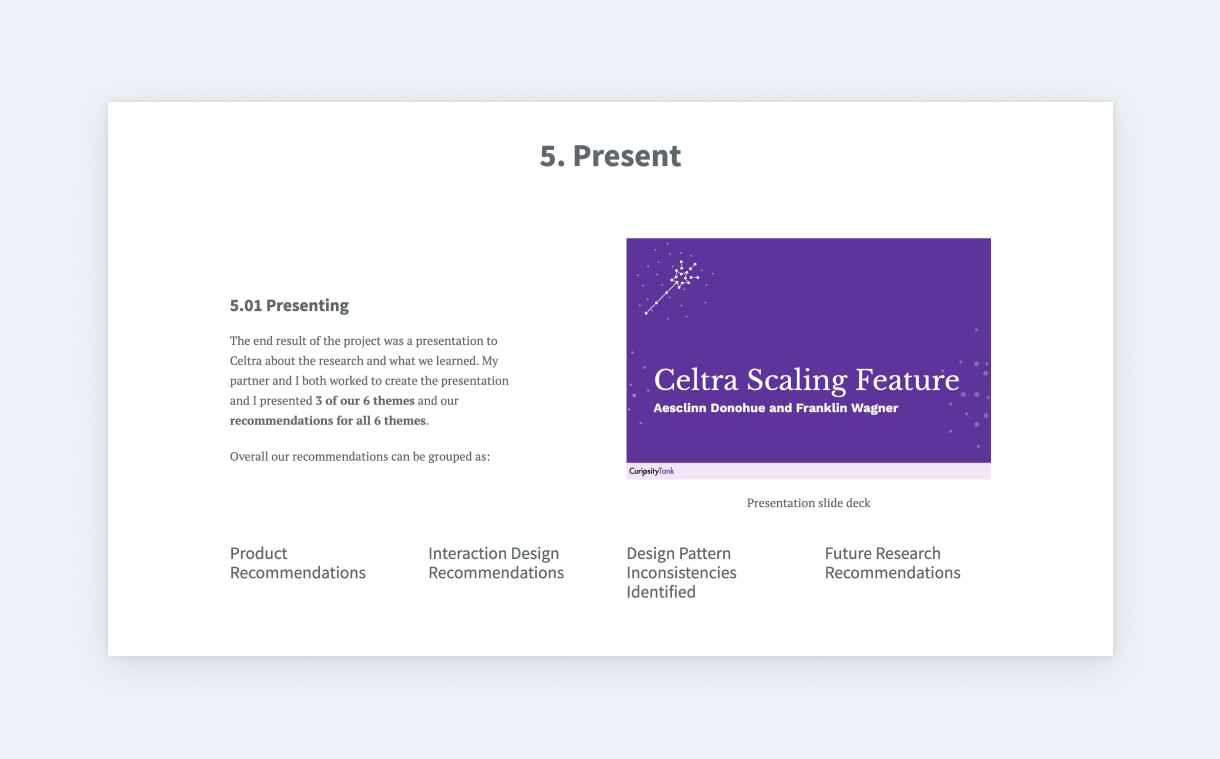
Dedicate a part of your case study to highlighting the impact of your findings. If you have access to designs, you can take screenshots next to which you can explain what was influenced by your findings. You don’t have to overthink this. Just crop a screenshot, and use a simple Text & Image section, like those in UXfolio.
Even better, if you can share quantifiable business results, such as growth in conversion rates, growth in use, decrease in support tickets, and so on. And you don’t need to design for this either. UXfolio has a handy Stats section that’s perfect for this.
3. Emphasize your skills
Employers and clients really want to know how it would be to work with you. They’ll ask how your research and personal skills can add to the success of their company. So, go ahead and include parts that could answer these questions:
- Your role in the team: Emphasize the role of research in the project and how your work fits into the overall product development process. Show the final product and how it improved, thanks to UX research.
- Cooperation: Tell more about how you communicated and cooperated with other team members, especially with designers and stakeholders. Also, you can share some details about the challenges you faced and how you solved them together.
- Learnings: Share your personal learnings and what skills you developed thanks to this project. You can include a short learnings section at the end of your case study.
4. Make it easy to read and understand
In the first chapter, we discussed the importance of creating a well-structured case study. Besides a good structure, you can follow some copywriting best practices to make your project more digestible:
Tell a story
Many of us complain about how neglected research is. So, take this chance to tell a story that testifies to the impact of UX research. Talk about your challenges and how you solved them. Make your readers more intimate with the users by detailing what you learned about them. Always explain how you arrived at conclusions, and don’t be afraid to write about roadblocks and overcoming them.
Use descriptive subtitles
Give your sections catchy titles that summarize their content and encourage the reader to learn more. The same goes for the main title of your case study. Good titles add a lot to storytelling and help maintain the flow and your readers’ interest. If you can’t come up with something creative, don’t worry! Just go with something descriptive instead.
Break up your text
Break up big chunks of text into smaller paragraphs. Ideally, a paragraph in a case study shouldn’t be longer than three sentences and 4 lines. Also, take every opportunity to introduce a subheading or a bulleted list. This will make even text-heavy case studies more inviting.
Use simple wording
Whoever reads your case study might not be a researcher. So, whenever possible, use straightforward, descriptive language. You don’t have to dumb it down. Just strive for simplicity. If the project was in a field with lots of jargon (e.g., healthcare), translate those phrases for your readers, so they don’t lose interest while reading.
Common UX research portfolio mistakes
Interestingly, most weak portfolios don’t fail because the research itself was poor. They fail because the researcher presents the work in a way that makes it difficult to understand its value. These mistakes are especially common among junior researchers or those transitioning from design roles.
Focusing only on methods
A very common mistake is treating research methods as the main story. Many portfolios spend pages describing interviews, surveys, or card sorting exercises, while the actual insights and decisions receive only a few sentences.
Recruiters don’t need a definition of a usability test, they want to know why it was the right choice for your project and what you discovered through it. Methods provide credibility, but insights provide value.
Showing findings without impact
Many case studies end right when they start becoming interesting. The researcher presents themes and observations, then simply moves on to the next project. This leaves the reader wondering: “So what?”
- Did the team redesign the navigation?
- Did you help the company avoid a costly mistake?
Keep in mind: Even if the project never launched, the fact that your research influenced a product decision or settled an internal debate is a form of impact that belongs in your portfolio.
Overloading readers with data
Researchers are often naturally attached to their data. After weeks of collecting notes, transcripts, and recordings, it feels wrong to leave anything out. However, a portfolio is not an archive, it’s a curated highlights reel.
Including massive affinity maps or dozens of interview quotes makes your case study harder to follow.
Pro tip: Only include the evidence required to support your specific argument. If a screenshot doesn’t help tell the story, it doesn’t belong in the portfolio.
Hiding your personal contribution
If you worked in a large team, it’s easy to fall into the habit of saying “we did this” and “we found that.” While teamwork is important, a portfolio is meant to evaluate your skills.
It’s extremely important to always be clear about your specific role. Always focus on answering the following questions.
- Did you lead the recruitment?
- Did you facilitate the workshops?
- Did you personally synthesize the findings?
Recruiters need to know exactly what you are capable of doing when you join their team.
Using generic case studies
A portfolio becomes memorable when it reveals how you think, but many case studies end up sounding interchangeable. They use the same process diagrams and follow the same “perfect” narrative where everything went according to plan.
Real-world research is messy. The most engaging portfolios include moments of uncertainty: a research question that turned out to be wrong, a method that didn’t work as expected, or a stakeholder who challenged the findings.
Pro tip: Showing how you navigated these challenges demonstrates professional judgment and maturity.
Build your UX research portfolio with Uxfolio
Building a UX research portfolio shouldn’t feel like a design project in itself. At UXfolio, we understand that research requires a different type of storytelling than design. UXfolio is built specifically to help you transform spreadsheets and sticky notes into professional case studies that resonate with hiring managers.
Here is how UXfolio helps you bridge the gap between “invisible” research and a compelling visual story:
- End the “blank page syndrome” with our Case Study Generator: Structuring a research project can be daunting. Our generator guides you through the core sections found in the best ux research portfolio examples. You simply select the relevant phases, and the tool creates a structured starting point, allowing you to focus on your findings while we handle the organization.
- Refine your narrative with AI Text Enhancement: Communicating complex insights clearly is a vital research skill. Our AI-driven enhancement tool helps you refine your tone and improve readability, ensuring your thinking is easy to follow without losing your unique voice as a practitioner.
- Create instant visual consistency with the Thumbnail Designer: First impressions matter. Instead of struggling with graphic design tools, use our tool to generate clean, consistent covers for your projects. You can use device mockups or custom backgrounds to ensure your research looks just as professional as a designer’s UI work.
- Maintain a clean layout with the Case Study Grid: Stop wasting time manually aligning cards. UXfolio’s case study grid automatically organizes your thumbnails into a balanced, clean layout, giving your homepage a polished look that works perfectly on any device.
If you’re ready to turn your research notes into a career-defining portfolio, you can start building for free. Join thousands of researchers who have moved past the documentation struggle and landed their dream roles using UXfolio.
Build your UX research portfolio for free today!
Frequently asked questions
What should a UX research portfolio include?
A strong UX research portfolio should include 3–5 case studies that demonstrate your research process, methodology, findings, and impact. Beyond just listing what you did, include artifacts like journey maps, research plans, and user quotes to provide evidence for your insights.
How many projects should I feature?
Most hiring managers prefer to see three to five high-quality projects. It is better to have a few UX case studies for beginners that show your thinking than a dozen shallow ones that only list methods.
Can junior UX researchers build an effective portfolio?
Yes. If you lack professional experience, you can use academic projects, bootcamp exercises, or volunteer work. The key is to demonstrate a rigorous research process, justify your methodological choices, and show how you arrived at your conclusions.
Do UX researchers need a portfolio?
In almost all cases, yes. While some researchers rely on presentation decks, a portfolio is often the first thing a recruiter sees. It’s also worth preparing for common UX researcher interview questions once your portfolio gets you in the door.
How is a UX research portfolio different from a UX design portfolio?
While a design portfolio focuses on the final visual solution, a research portfolio focuses on the investigation. Designers showcase mockups and prototypes; researchers showcase affinity maps, survey data, and evidence-driven recommendations that influenced product decisions.
How can I make my UX research portfolio stand out?
The best way to stand out is to show impact. Instead of just explaining your methods, focus on how your research reduced uncertainty, saved the company money, or improved the user experience. Adding personal reflections on your learnings also makes your portfolio feel more authentic and professional.
You must be logged in to post a comment.